A weak wireless network rarely stays a wireless problem. It becomes failed video calls, slow cloud applications, frustrated customers, and staff moving from desk to desk to find a usable signal. This Ruckus access point review looks at where Ruckus fits in a business environment, what it does particularly well, and where decision-makers should look beyond the access point itself before approving an upgrade.
Ruckus is designed for organizations that need Wi-Fi to work consistently under real operating conditions, not just perform well in a small demonstration. Its access points are commonly considered for corporate offices, schools, retail locations, hospitality venues, warehouses, and multi-site organizations where user density, building materials, and application demand can change quickly.
What Ruckus Access Points Are Built to Solve
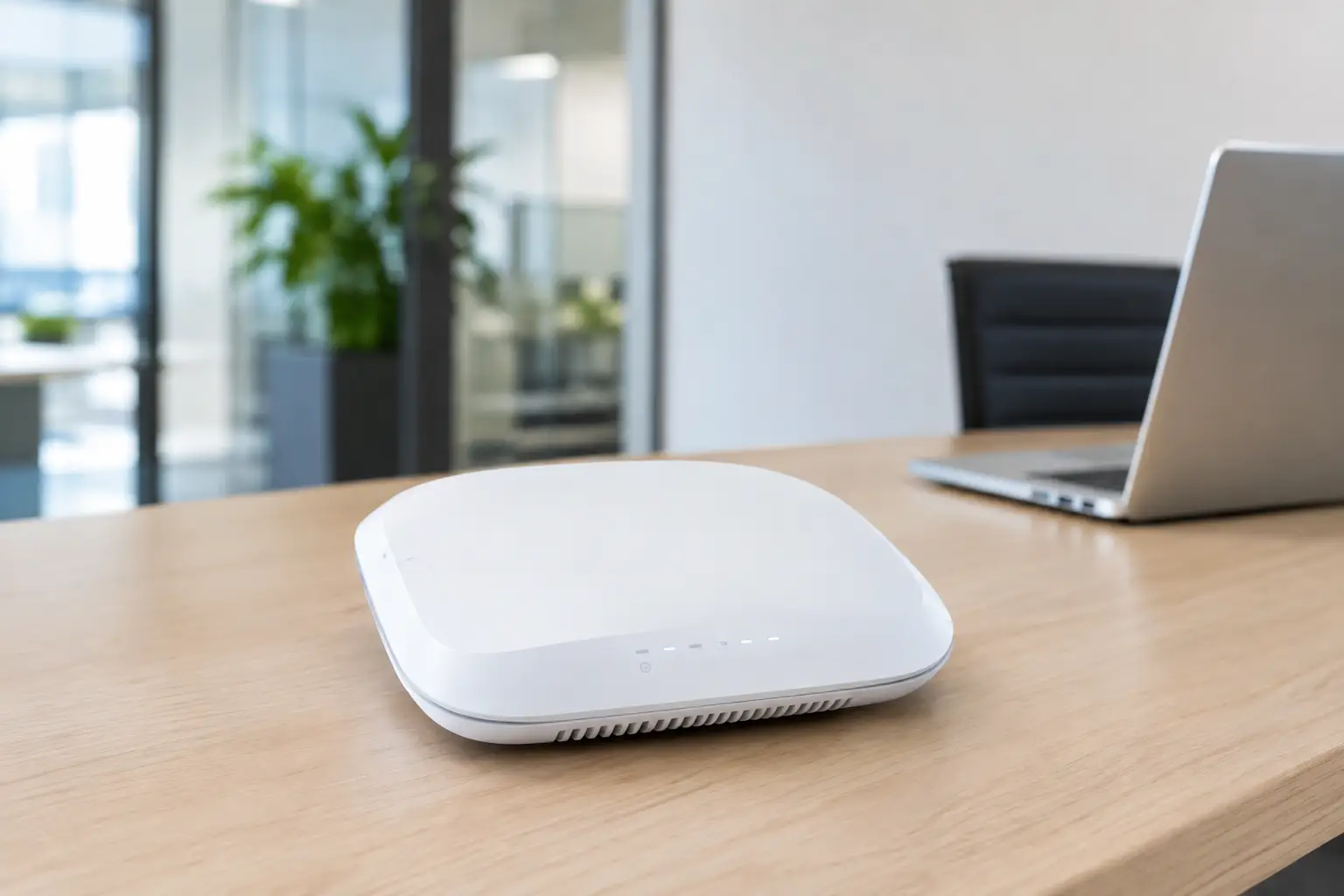
Ruckus access points are enterprise-grade wireless devices built around coverage quality, client capacity, centralized management, and security. The product range includes indoor and outdoor models, with options for smaller offices through to high-density deployments serving large numbers of users and devices.
The differentiator is not simply higher advertised Wi-Fi speeds. Business Wi-Fi performance depends on whether devices can maintain a usable connection when users are moving, meeting rooms are full, walls obstruct signals, and neighboring networks create interference. Ruckus places significant emphasis on radio management and antenna design to address these practical conditions.
For an operations manager, this matters because the goal is not to install the greatest number of access points. The goal is to provide dependable coverage and capacity where people actually work. A well-designed network can reduce complaints, protect productivity, and avoid the cost of repeatedly adding equipment to compensate for a poor initial design.
Ruckus Access Point Review: Key Strengths
Adaptive antenna technology can improve difficult coverage areas
Many Ruckus models use adaptive antenna technology, often referred to as BeamFlex. Rather than transmitting in one fixed pattern, the access point can select antenna patterns that better suit the client and surrounding environment. This can be valuable in offices with partitions, concrete structures, metal shelving, elevators, or dense meeting-room layouts.
The practical benefit is more consistent connectivity at the edge of a coverage area and better resistance to interference. It is not a substitute for a site survey or correct access point placement. However, it can give Ruckus an advantage in environments where standard ceiling-mounted Wi-Fi hardware struggles to deliver predictable results.
Strong capacity for busy environments
An access point can show a strong signal while still delivering poor user experience. This often happens when too many devices share the same radio resources. Corporate users may be on video calls while guest users browse the internet, cloud applications synchronize files, and meeting-room systems connect in the background.
Ruckus is well suited to high-client-density environments. Schools, training centers, event spaces, shared offices, and retail sites with guest Wi-Fi can benefit from access points that manage numerous concurrent connections without treating every device as equal. Proper configuration still matters, especially when balancing staff, guest, voice, and Internet of Things traffic, but the platform is designed for that level of operational demand.
Management options suit different IT models
Ruckus offers multiple management approaches, including controller-based, cloud-managed, and on-premises options. This gives businesses flexibility based on their security requirements, internal IT resources, and number of locations.
A single-site office with limited IT support may prefer cloud management for visibility and simpler day-to-day administration. A larger organization or security-conscious environment may require an on-premises controller or a more tightly controlled architecture. The right choice depends on how the business wants to manage firmware, configuration policies, guest access, reporting, and troubleshooting.
For multi-site businesses, centralized management is especially useful. IT teams can apply consistent wireless settings across offices, outlets, or campuses instead of configuring every site independently. This helps standardize security and reduces the time needed to diagnose recurring network issues.
Enterprise security and network segmentation
Business Wi-Fi should not place staff devices, visitors, surveillance equipment, and building systems on the same unrestricted network. Ruckus supports enterprise security features that allow organizations to separate traffic through multiple SSIDs, VLANs, user authentication policies, and guest access controls.
This is important for companies that use cloud applications, IP telephony, CCTV, biometric access control, or connected meeting-room equipment. Segmentation limits unnecessary exposure between systems and helps maintain performance for business-critical traffic. The access point is only one part of that security design, though. Firewall policies, switching configuration, identity management, and cabling standards must support the same objective.
Where Ruckus May Not Be the Best Fit
Ruckus is not automatically the right answer for every location. For a very small office with a handful of users, modest bandwidth needs, and no plan to expand, an enterprise-grade platform may exceed the required budget and complexity. A more basic business Wi-Fi solution may be sufficient if it is installed and secured correctly.
Budget should also be evaluated beyond the price of the access point. Depending on the deployment, businesses may need licensing, a management platform, Power over Ethernet switches, updated network cabling, firewall configuration, and professional installation. These costs are justified when reliability, coverage, and administration matter, but they should be planned from the start.
Ruckus can also be over-specified when the underlying issue is not Wi-Fi. Slow internet service, damaged cabling, overloaded switches, poor network segmentation, or an incorrectly positioned firewall can all create symptoms that users describe as weak wireless. Replacing access points without diagnosing the wider network may leave the core problem unresolved.
Choosing the Right Ruckus Model
Model selection should follow a survey of the site rather than a simple square-footage calculation. Two offices of the same size can require very different designs. A mostly open office with low user density is not comparable to a training center with enclosed rooms and 80 people joining video calls at the same time.
Start by reviewing the number of active users, device types, business applications, floor plan, wall materials, and areas where service is essential. Consider future demand as well. A company moving into a new office may add staff, deploy more cloud services, introduce guest Wi-Fi, or install connected security systems within a short period.
Wi-Fi 6 and Wi-Fi 6E models are often appropriate for organizations refreshing their infrastructure, especially where newer client devices and higher densities are expected. Wi-Fi 6E can provide access to the 6 GHz band where supported, helping relieve congestion in demanding environments. Its value depends on client compatibility, regulatory conditions, building layout, and whether the business truly needs additional capacity.
Outdoor models should be selected for coverage between buildings, loading bays, campuses, patios, or retail exteriors. They must be installed with suitable weather protection, mounting, grounding, power, and cable routing. Outdoor Wi-Fi is a design exercise, not simply an indoor access point placed outside.
Deployment Quality Determines the Result
Even a well-regarded access point will underperform when it is poorly installed. Placement above ceilings, beside metal obstructions, inside cabinets, or at the far end of a long cable run can undermine coverage and capacity. Access points need correct mounting locations, reliable Power over Ethernet, and tested cabling infrastructure.
A professional deployment begins with a site assessment and, where appropriate, a predictive or physical wireless survey. The design should identify access point locations, expected client loads, channel planning, cabling routes, switch capacity, and coverage priorities. It should also account for business continuity. Reception areas, meeting rooms, executive spaces, classrooms, point-of-sale areas, and security operations may have different service requirements.
After installation, testing should confirm signal quality, roaming behavior, throughput, authentication, guest access, and application performance. Documentation is equally valuable. When an office expands or experiences an issue months later, clear records of access point locations, cable labels, VLAN assignments, and management credentials save time and reduce disruption.
The Verdict for Business Decision-Makers
Ruckus access points are a strong option for businesses that place a premium on dependable wireless performance, centralized control, and scalability. They are particularly compelling in challenging physical environments and locations with many simultaneous users. Their strengths become more meaningful when Wi-Fi supports cloud operations, voice, guest services, connected security systems, or multiple sites.
The trade-off is that Ruckus should be treated as part of an infrastructure project rather than a stand-alone purchase. The best outcome comes from aligning the wireless design with structured cabling, switching, firewall security, and the way employees and customers use the premises. I-Weblogic approaches wireless projects with that wider operational view, helping organizations avoid fragmented upgrades that create new problems later.
Before selecting any access point, define what must remain connected when the office is busiest. That requirement, more than a product specification sheet, should guide the network design.