
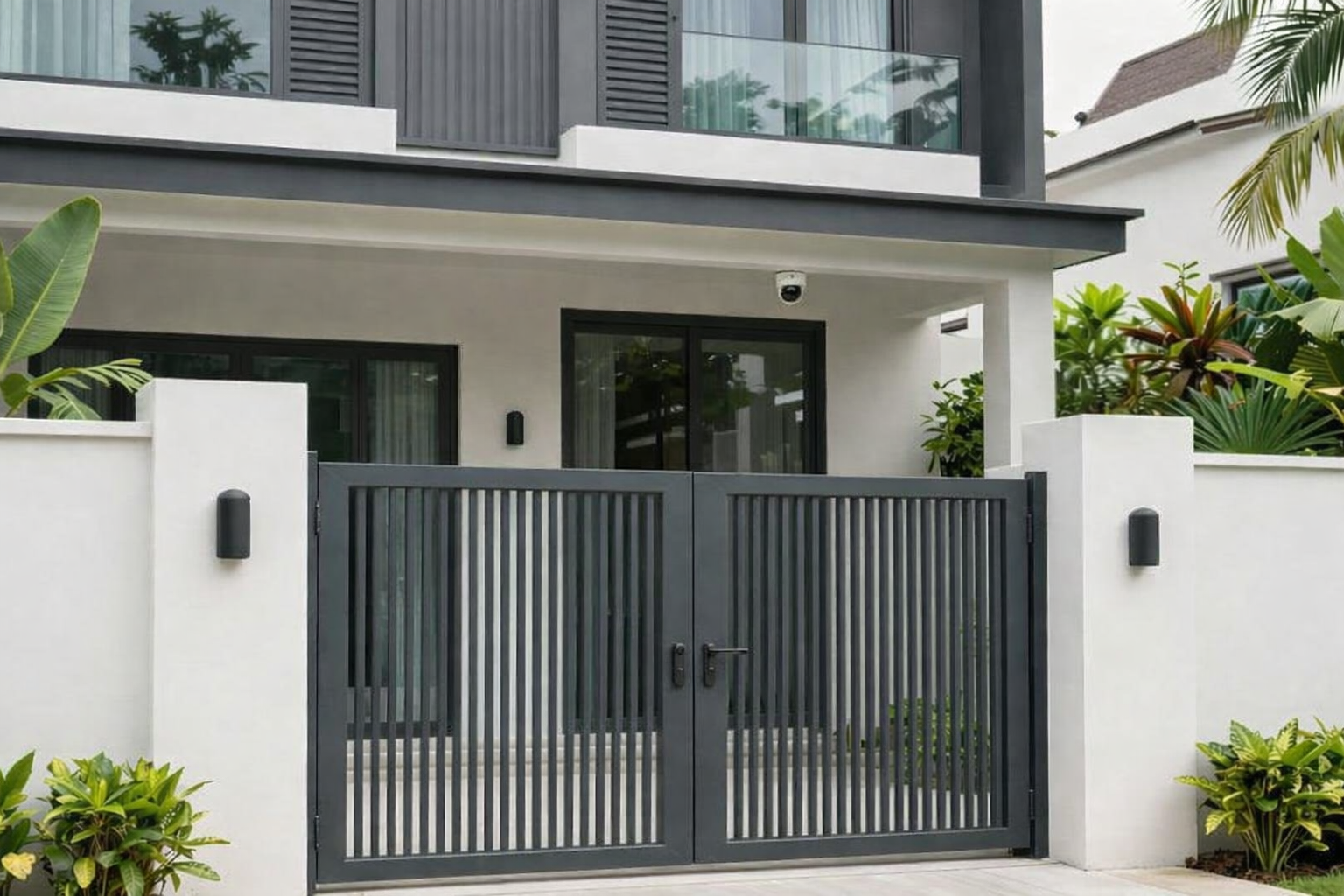
The Complete Guide to Landed Home CCTV Installation in Singapore: Planning, Systems & Compliance

Landed home cctv installation Singapore is the most effective way to secure your property. Whether you manage an SME office or own a landed home in Singapore, installing CCTV cameras requires careful planning and expert guidance. Many homeowners rush into CCTV installation without proper preparation. This leads to poor camera placement, compliance issues, and wasted investment.
This comprehensive guide walks you through every aspect of landed home CCTV installation. You will learn about camera types, legal requirements, and the critical 6-month precision planning process. We address both SME office needs and residential property security systems.
Singapore property owners face unique challenges. Town council regulations, PDPA compliance, and neighbor privacy considerations make CCTV installation more complex than in other countries. Our guide helps you navigate these requirements while building an effective security system.
WhatsApp Available | Speak with Our Security Specialists
Why CCTV Installation Requires Professional Planning
Many property owners underestimate the complexity of surveillance systems. A CCTV camera is not just a device you mount on a wall. It requires strategic placement, proper wiring, storage solutions, and ongoing maintenance.
Professional security service providers understand how criminals operate. They know blind spots, vulnerable entry points, and optimal camera angles. DIY installations often miss these critical elements. The result is a false sense of security with actual gaps in coverage.
Singapore’s landed properties present unique challenges. Multi-level homes, garden areas, and driveways need coordinated surveillance. SME offices require integration with access control systems. Each environment demands customized solutions based on layout and security needs.
Residential Security Priorities
- Family safety and peace of mind
- Deterring potential break-ins
- Monitoring domestic helpers and service providers
- Recording evidence for insurance claims
- Remote viewing while traveling
SME Office Security Priorities
- Protecting business assets and inventory
- Employee safety monitoring
- Access control integration
- Compliance with insurance requirements
- Preventing internal theft
Get Your Free CCTV Planning Timeline
Download our comprehensive 6-month planning checklist designed specifically for Singapore landed properties. Learn exactly what to consider at each stage, from initial assessment to final installation.
The 6-Month Precision Planning Processv for Landed Home CCTV Installation Singapore

Rushed CCTV installations fail. Proper planning prevents costly mistakes and ensures comprehensive coverage. Our proven 6-month process breaks down the installation into manageable phases. This timeline allows for thorough assessment, vendor comparison, and system customization.
Phase 1: Security Assessment and Requirement Gathering (Months 1-2)
The first phase focuses on understanding your property’s unique security needs. A professional service provider conducts a detailed site visit. They map vulnerable areas, identify existing security gaps, and document property layout.
During this period, you define your priorities. Do you need 24/7 recording or motion-activated cameras? Should footage be stored locally or in the cloud? Will you monitor the system remotely through mobile apps? These decisions shape your entire system design.
- Conduct comprehensive property security audit
- Identify all entry and exit points requiring surveillance
- Assess lighting conditions at different times of day
- Determine budget range and financing options
- Review insurance requirements and potential premium reductions
- Consult with neighbors about shared boundaries
Phase 2: System Design and Vendor Selection (Months 3-4)
With requirements defined, you move to system design. This phase involves comparing camera types, storage solutions, and monitoring platforms. Professional installers create detailed coverage maps showing camera placement and viewing angles.
Vendor selection requires careful evaluation. Experience matters in CCTV installation. Look for providers with proven track records in Singapore properties. Check certifications, warranty offerings, and post-installation support services.
Pro Tip: Request sample footage from cameras under consideration. View recordings in conditions similar to your property—similar lighting, distance, and areas. This reveals actual performance versus marketing claims.
- Compare minimum three reputable security service providers
- Review detailed proposals with camera specifications
- Verify PDPA compliance and data protection measures
- Confirm town council approval process assistance
- Negotiate pricing and payment terms
- Finalize system design and equipment selection
Phase 3: Installation, Calibration, and Training (Months 5-6)
The final phase brings your security system to life. Professional installation teams work systematically through your property. They install cameras, run cabling, configure network connections, and set up storage systems.
After physical installation comes calibration. Each camera requires adjustment for optimal viewing angles, motion detection zones, and recording settings. Night vision capabilities need testing under actual darkness conditions.
Training ensures you can operate your system effectively. Learn how to review footage, adjust camera settings, and respond to alerts. Proper training maximizes your investment and gives you confidence in using the system.
Confused About Which System Fits Your Property?
Our security consultants have helped over 500 Singapore homeowners design custom CCTV solutions. Get free expert consultation—we’ll assess your unique needs and recommend the optimal system for your budget and requirements.
Understanding CCTV Camera Types for Your Property

Not all cameras serve the same purpose. Understanding different camera types helps you make informed decisions. Each type offers specific advantages for different surveillance needs and installation areas.
Dome Cameras for Discrete Monitoring
Dome cameras feature a compact, rounded design. The camera lens sits inside a protective dome housing. This design makes them less intrusive and harder to tamper with.
These cameras work well for indoor areas and covered outdoor spaces. Install them in living rooms, hallways, and covered porches. The dome housing protects against dust and moisture in Singapore’s humid climate.
Bullet Cameras for Long-Range Surveillance
Bullet cameras have a distinctive cylindrical shape. They excel at monitoring long distances like driveways, garden perimeters, and front gates. The visible design also acts as a deterrent.
These cameras typically include powerful infrared night vision. They can capture clear footage up to 30-40 meters in complete darkness. This makes them ideal for monitoring large landed property perimeters at night.
PTZ Cameras for Active Monitoring
PTZ stands for Pan-Tilt-Zoom. These cameras can rotate horizontally and vertically while zooming in on specific areas. Security personnel or homeowners can control them remotely through mobile apps.
PTZ cameras cost more than fixed cameras. They work best when combined with fixed cameras covering static areas. Use PTZ cameras for large open areas requiring flexible monitoring like swimming pool areas or expansive gardens.
Night Vision Capabilities
Singapore experiences 12 hours of darkness daily. Your CCTV system must perform equally well day and night. Modern cameras use infrared LED technology for night vision.
Check the camera’s infrared range specification. This tells you how far it can see in total darkness. Residential properties typically need cameras with 20-30 meter night vision range. Larger properties may require 40-50 meter capabilities.
| Camera Type | Best Use Cases | Coverage Range | Price Range |
| Dome Camera | Indoor areas, covered spaces, discrete monitoring | Up to 20 meters | $80-200 |
| Bullet Camera | Perimeters, driveways, long-distance monitoring | 20-40 meters | $120-180 |
| PTZ Camera | Large open areas, active security monitoring | 30-100 meters | $300-800 |
| Infrared Night Vision | 24/7 surveillance, dark areas, nighttime security | 20-50 meters | $80-400 |
For a complete home security ecosystem, consider integrating your CCTV system with advanced door access control systems. This integration provides comprehensive security management from a single platform.
Wired vs Wireless CCTV Systems: Making the Right Choice
One critical decision affects your entire installation: choosing between wired and wireless systems. Each approach offers distinct advantages and limitations. Your property layout and security needs determine the best option.
Wired CCTV Systems
Wired systems connect cameras to the recording equipment through physical cables. Installation requires running cables through walls, ceilings, or conduits. This process takes longer and costs more initially.
However, wired systems provide superior reliability. They do not depend on WiFi signal strength. Connection remains stable regardless of network congestion. Video quality stays consistently high without compression.
Advantages of Wired Systems
- Stable connection without WiFi dependence
- Higher video quality without compression
- No battery replacement needed
- More secure from hacking attempts
- Better for large properties with many cameras
Disadvantages of Wired Systems
- Higher installation costs
- Requires drilling and cable routing
- Less flexibility to relocate cameras
- Longer installation time period
- May require renovation work
Wireless CCTV Systems
Wireless cameras connect to your network via WiFi. Installation is faster and less invasive. You can position cameras without worrying about cable routes. This flexibility appeals to many homeowners.
These systems work well for smaller properties with strong WiFi coverage. However, signal interference can cause connection drops. Video quality may fluctuate based on network conditions. Battery-powered wireless cameras need regular recharging or battery replacement.

Hybrid Solutions for Optimal Performance
Many modern installations combine both approaches. Critical areas use wired cameras for reliability. Less critical zones use wireless cameras for flexibility. This hybrid approach balances cost, performance, and installation complexity.
For example, wire cameras covering main entrances, driveways, and perimeter fencing. Use wireless cameras for garden areas, side gates, or temporary monitoring needs. This strategy provides the best of both technologies.
CCTV Storage Solutions: Local, Cloud, and Hybrid Options
Cameras capture footage constantly. Where does this data go? Storage solutions determine how long you can keep recordings and how easily you access them. Three main options exist: local storage, cloud storage, and hybrid systems.
Network Video Recorders (NVR) for Local Storage
NVR systems store footage on physical hard drives installed at your property. These devices connect directly to your cameras through network cables. Storage capacity ranges from 1TB to 16TB or more.
Calculate your storage needs based on camera count and recording settings. A 4-camera system recording continuously at 1080p resolution needs approximately 2TB for 30 days of footage. Higher resolution cameras require more storage space.
Local storage provides complete data control. Your footage stays on your property under your management. No monthly subscription fees apply. However, if thieves steal or damage the NVR, you lose all recordings.
Cloud Storage for Remote Access
Cloud storage uploads footage to secure remote servers. You access recordings from anywhere through internet connection. This provides excellent backup protection—even if someone destroys your cameras, footage remains safe in the cloud.
Cloud services charge monthly or annual subscription fees. Costs vary based on camera count and retention period. For a 4-camera system, expect to pay $20-50 monthly for 30 days of cloud storage.
Singapore’s Personal Data Protection Act requires proper data management. Cloud providers must comply with PDPA regulations. Verify that your chosen service provider stores data securely and follows local privacy laws.
- One-time equipment cost
- No monthly fees
- Complete data control
- Vulnerable to physical theft
- Requires manual backup
- Limited remote access
- Monthly subscription required
- Access anywhere with internet
- Automatic backup protection
- Immune to local theft
- Requires stable internet
- PDPA compliance essential
- Combines both approaches
- Local storage for quick access
- Cloud backup for protection
- Higher total cost
- Maximum security and reliability
- Best for critical applications
Ready to Secure Your Property? Request Free Site Assessment
Our security experts will evaluate your property and recommend the optimal CCTV system for your needs. No obligation, completely free.Full Name *Email Address *Phone Number *Property Type * Select property type Landed Home SME Office Additional Requirements (Optional)
Tell us about your security concerns or specific requirementsRequest Free Assessment
Legal Requirements for CCTV Installation in Singapore

Installing CCTV in Singapore involves navigating specific legal requirements. The Personal Data Protection Act governs how you collect, use, and store surveillance footage. Town councils impose additional regulations for residential areas. Understanding these rules prevents legal problems and protects your rights.
Personal Data Protection Act (PDPA) Compliance
The PDPA applies to all CCTV installations capturing personal data. This includes any footage showing identifiable individuals. Your cameras must serve legitimate security purposes. You cannot use surveillance to invade privacy or monitor people unnecessarily.
Install clear signage informing people about CCTV surveillance. Signs must be visible before people enter monitored areas. This notification requirement applies to both residential and commercial properties.
- Display visible CCTV warning signs at property entry points
- Limit camera coverage to your property boundaries
- Avoid pointing cameras at neighbors’ properties or public areas
- Secure footage with password protection and encryption
- Retain recordings only for necessary time periods
- Provide access to individuals requesting their recorded data
Town Council Approvals for HDB and Landed Properties
Town council rules vary across Singapore neighborhoods. Some areas require formal approval before installing external cameras. This particularly applies to HDB properties and certain landed home estates.
Submit installation plans to your town council management office. Include camera specifications, mounting locations, and coverage areas. Approval processes typically take 2-4 weeks. Professional security service providers often handle this paperwork as part of their installation service.
Important: Installing cameras without required town council approval can result in removal orders and fines. Always verify requirements with your local town council before proceeding with installation.
Neighbor Considerations and Shared Boundaries
Good neighbor relations matter in Singapore’s dense residential areas. Cameras pointing toward neighboring properties cause disputes and complaints. Even if your intention is security, neighbors may perceive it as invasive surveillance.
Discuss your installation plans with adjacent neighbors. Show them planned camera angles and coverage areas. This proactive communication prevents misunderstandings and maintains positive relationships.
Angle cameras to cover only your property. Use privacy masking features to block out neighboring areas from camera views. Most modern surveillance systems include software tools for creating these exclusion zones.
Let Us Handle PDPA Compliance & Town Council Approvals
With 20+ years of experience securing Singapore properties, we understand all legal requirements. Our team manages the entire approval process, ensuring your installation meets PDPA standards and town council regulations.
Call +65 87827613 Learn More About Compliance
Professional CCTV Installation Process: What to Expect
Professional installation transforms your security plan into working reality. Understanding the process helps you prepare your property and set realistic expectations. Quality installation determines system performance for years to come.
Pre-Installation Site Survey
Experienced installers begin with a detailed site survey. They visit your property to confirm camera locations, verify power source availability, and plan cable routing. This visit ensures no surprises during actual installation.
The survey identifies potential obstacles like thick walls, concealed pipes, or electrical wiring. Installers measure distances, check WiFi signal strength for wireless cameras, and photograph mounting locations. This preparation streamlines the installation process.
Installation Day Timeline
Professional teams complete typical residential installations in 1-2 days. Complex properties with many cameras may require 3-4 days. SME office installations vary based on property size and security requirements.

- Camera Mounting: Installers secure cameras to walls, ceilings, or poles using appropriate mounting brackets. They ensure proper angles and stable positioning.
- Cable Routing: For wired systems, technicians run cables through walls, attics, or external conduits. Professional installations hide cables for clean aesthetics.
- Equipment Setup: The team installs and configures NVR equipment, connects cameras, and establishes network connections for remote viewing.
- System Testing: Every camera undergoes thorough testing—day and night vision, motion detection, recording functionality, and mobile app access.
- User Training: Installers teach you how to operate the system, review footage, adjust settings, and troubleshoot common issues.
Post-Installation Support and Maintenance
Quality service providers offer ongoing support after installation. This includes warranty coverage for equipment defects, technical assistance for system issues, and periodic maintenance services.
Schedule annual maintenance checks for optimal system performance. Technicians clean camera lenses, verify recording functionality, update software, and inspect cable connections. Regular maintenance extends equipment life and prevents failures.
Your CCTV system integrates seamlessly with other security measures. Consider adding professional turnstile systems for comprehensive access control in SME office environments.
CCTV Installation Service Packages for Singapore Properties
Service providers offer tiered packages matching different security needs and budgets. Understanding these packages helps you choose appropriate coverage without overpaying for unnecessary features.
Basic Security Package

- 4 HD cameras (1080p resolution)
- 1TB NVR with 30-day storage
- Basic mobile app access
- Standard installation included
- 1-year warranty coverage
- Ideal for small properties
Price Range: $1,800 – $2,500
Premium Security Package

- 8 HD cameras (2MP-4MP resolution)
- 4TB NVR with 60-day storage
- Advanced mobile and web access
- Premium installation with cable concealment
- 2-year warranty plus maintenance
- Night vision up to 40 meters
- Motion detection alerts
- Best for medium-large landed homes
Price Range: $2,500 – $6,500
Enterprise Security Package

- 16+ cameras (4MP-8MP resolution)
- 8TB+ NVR with 90-day storage
- Cloud backup integration
- PTZ cameras for active monitoring
- Integration with door access systems
- Professional installation with project management
- 3-year warranty plus quarterly maintenance
- Analytics and reporting dashboard
- Ideal for SME offices and large estates
Price Range: $5,000 – $10,000+
All packages include PDPA-compliant installation, town council approval assistance, and comprehensive user training. Custom packages available for unique property requirements.
Integrating CCTV with Smart Home Systems

Modern CCTV systems integrate seamlessly with smart home platforms. This integration creates a unified security ecosystem controlled from a single interface. Homeowners gain convenience and enhanced security through connected systems.
Popular Integration Platforms
Most modern surveillance systems support integration with major smart home platforms. Google Home, Amazon Alexa, and Apple HomeKit allow voice control and automated routines. You can view camera feeds on smart displays or trigger recordings based on other smart devices.
Integration enables sophisticated automation scenarios. When your door access system detects entry, cameras automatically start recording. Motion sensors trigger specific cameras to focus on detected areas. Smart lighting activates when cameras detect nighttime movement.
Benefits of Integrated Security Systems
Unified control simplifies security management. One mobile app controls your CCTV cameras, door locks, alarm systems, and smart lighting. This consolidation improves response time during security events.
Integrated systems provide better security insights. Analytics combine data from multiple sources—cameras, motion sensors, and door contacts. This comprehensive view helps identify patterns and potential security weaknesses.
- Control all security devices from one app
- Create automated security routines and schedules
- Receive unified alerts across all security systems
- Use voice commands for camera viewing
- Integrate with existing smart home devices
- Improve energy efficiency through automation
For businesses seeking comprehensive security management, explore our advanced CCTV systems designed for seamless integration with access control and monitoring platforms.
7 Critical Mistakes to Avoid When Installing CCTV
Learning from others’ mistakes saves money and prevents security gaps. These common errors compromise system effectiveness and waste investment. Avoid these pitfalls for successful CCTV installation.
Insufficient Camera Coverage
Many homeowners underestimate the number of cameras needed. They leave blind spots where intruders can approach undetected.
- Map all entry points before planning
- Cover vulnerable areas comprehensively
- Overlap camera fields of view
- Consider vertical blind spots
Poor Camera Placement
Cameras mounted too high capture only the tops of heads. Too low positioning makes them easy to vandalize or disable.
- Mount cameras at 2.5-3 meters height
- Angle slightly downward for face capture
- Protect cameras from easy reach
- Avoid backlight positioning
Ignoring Lighting Conditions
Cameras perform differently in various lighting. Direct sunlight causes glare. Insufficient lighting results in poor night footage.
- Test cameras at different times
- Add supplementary lighting if needed
- Use WDR cameras for mixed lighting
- Verify night vision performance
Inadequate Storage Planning
Running out of storage space means losing critical footage. Calculate storage needs based on resolution and retention requirements.
- Calculate storage for desired retention
- Allow 20-30% extra capacity
- Consider cloud backup options
- Implement automatic overwrite policies
Mistake #5: Neglecting Network Security
Unsecured CCTV systems become targets for hackers. Change default passwords immediately. Use strong, unique passwords for camera access. Enable encryption for video streams. Update firmware regularly to patch security vulnerabilities. Segment your security cameras on a separate network from other devices.
Mistake #6: Skipping Professional Installation
DIY installation seems cost-effective initially. However, improper installation leads to poor performance, compliance issues, and voided warranties. Professional installers ensure optimal camera positioning, proper cable management, and system configuration. Their expertise prevents costly mistakes and future problems.
Mistake #7: Forgetting Maintenance Requirements
CCTV systems need regular maintenance for consistent performance. Dust accumulation on lenses degrades image quality. Loose connections cause intermittent failures. Spider webs trigger false motion alerts. Schedule quarterly cleaning and annual professional inspections. Proactive maintenance prevents system failures when you need footage most.
Understanding CCTV Installation Costs in Singapore

CCTV installation costs vary significantly based on system complexity, property size, and equipment quality. Understanding cost components helps you budget accurately and avoid unexpected expenses.
Equipment Costs
Cameras represent the primary equipment expense. Basic HD cameras cost $150-250 each. Premium 4MP cameras range from $300-500. Specialized PTZ cameras start at $600 and can exceed $2,000 for advanced models.
NVR systems add $400-1,500 depending on channel capacity and storage size. Entry-level 4-channel NVRs with 1TB storage cost around $400. Enterprise 16-channel systems with 8TB storage reach $1,500 or more.
Installation Labor Costs
Professional installation fees depend on property complexity and camera count. Expect to pay $300-600 per camera including mounting, cabling, and configuration. This covers labor, mounting hardware, and cable materials.
Complex installations requiring extensive cable concealment or difficult mounting locations increase labor costs. Multi-story properties need additional time and equipment. Budget 20-30% higher for properties with challenging installation requirements.
Ongoing Costs
Cloud storage subscriptions cost $20-50 monthly for residential systems. Business systems with more cameras and longer retention periods range from $80-200 monthly.
Annual maintenance contracts typically cost 10-15% of initial equipment investment. A $5,000 system needs $500-750 annual maintenance budget. This covers regular inspections, cleaning, software updates, and minor repairs.
| Cost Component | Landed Home (4-8 Cameras) | SME Office (8-16 Cameras) |
| Equipment (Cameras + NVR) | $1,200 – $4,000 | $3,500 – $8,000 |
| Installation Labor | $1,200 – $2,000 | $2,500 – $6,000 |
| Cabling & Materials | $130 – $380 | $180 – $500 |
| Configuration & Training | $200 – $400 | $400 – $800 |
| Total Initial Investment | $3,000 – $8,200 | $7,200 – $16,300 |
| Annual Maintenance | $300 – $800 | $700 – $1,500 |
| Cloud Storage (Optional) | $240 – $600/year | $960 – $2,400/year |
Factors Affecting Final Cost
Property size directly impacts installation complexity and camera requirements. Larger properties need more cameras for comprehensive coverage. Multi-level homes require additional cabling and labor time.
Equipment quality significantly affects pricing. Budget systems use basic sensors and limited features. Premium systems offer superior image quality, advanced analytics, and better low-light performance. The price difference reflects these capabilities.
Installation timing can impact costs. Some providers offer promotional rates during off-peak periods. However, never compromise quality for lower prices. Poor installation creates long-term problems exceeding initial savings.
Frequently Asked Questions About Landed Home CCTV Installation
How many cameras do I need for my landed property?
Most landed homes require 4-8 cameras for comprehensive coverage. This includes front entrance, back door, driveway, and perimeter areas. Larger properties or those with multiple entry points may need 10-12 cameras. A professional site assessment provides accurate recommendations based on your property layout and security concerns.
Can I install CCTV cameras myself or do I need professional help?
DIY installation is possible for simple wireless systems. However, professional installation ensures optimal camera placement, proper configuration, and compliance with Singapore regulations. Professionals handle town council approvals, PDPA compliance, and technical complexities. Their expertise prevents common mistakes and ensures reliable system performance. Most homeowners find professional installation worth the investment for peace of mind.
Do I need town council approval to install CCTV cameras?
Requirements vary by location and property type. HDB properties typically require town council approval for external camera installation. Some landed property estates have similar requirements. Check with your town council management office before installation. Professional security service providers usually handle the approval process as part of their service, ensuring compliance with all regulations.
How long does CCTV installation take?
Standard residential installations with 4-8 cameras take 1-2 days. The first day covers camera mounting and cable routing. The second day involves equipment setup, configuration, and user training. Larger properties or complex installations may require 3-4 days. SME office installations vary based on size and integration requirements. Your installer provides a detailed timeline during the site survey.
What resolution should I choose for my CCTV cameras?
Minimum 1080p (2MP) resolution is recommended for basic security needs. This provides clear footage for identifying faces and license plates at reasonable distances. For enhanced detail, consider 4MP or 5MP cameras for critical areas like main entrances. Higher resolution requires more storage space and network bandwidth. Balance image quality needs with storage costs for optimal system design.
How far can CCTV cameras see at night?
Night vision range depends on the camera’s infrared LED specifications. Standard residential cameras see 20-30 meters in complete darkness. Premium cameras with powerful infrared arrays reach 40-50 meters. PTZ cameras can achieve 80-100 meters or more. Consider your property’s specific monitoring distances when selecting cameras. Proper testing during nighttime conditions ensures adequate coverage.
Is wireless or wired CCTV better?
Wired systems offer superior reliability and video quality without dependence on WiFi. They suit properties where running cables is feasible. Wireless systems provide installation flexibility and work well for smaller properties with strong WiFi coverage. Many installations use hybrid approaches—wired cameras for critical areas and wireless cameras for supplementary coverage. Your property layout and priorities determine the best choice.
How long should I keep CCTV recordings?
Typical retention periods range from 30-90 days. Legal requirements vary by purpose and jurisdiction. For residential properties, 30-45 days provides adequate coverage for most security incidents. Businesses may require 60-90 days for compliance purposes. Balance retention needs with storage costs. Implement automatic overwrite policies to manage storage efficiently while maintaining necessary footage availability.
Can I view my CCTV cameras remotely?
Modern CCTV systems include mobile apps for remote viewing. Access live feeds and recorded footage from anywhere with internet connection. Set up motion detection alerts to receive notifications on your smartphone. Remote access requires proper network configuration and secure password protection. Professional installers configure these features during setup and train you on their use.
What maintenance does a CCTV system need?
Regular maintenance includes quarterly lens cleaning, cable inspection, and recording verification. Annual professional maintenance should cover software updates, hard drive health checks, and camera alignment verification. Clean spider webs and debris that trigger false alarms. Test night vision and motion detection regularly. Proper maintenance extends equipment life and ensures consistent performance when you need footage most.
Secure Your Property with Professional CCTV Installation

Effective security starts with proper planning. The 6-month precision planning process ensures your CCTV system meets all requirements. From initial assessment through installation and training, each phase builds toward comprehensive property protection.
Singapore’s unique regulatory environment requires attention to PDPA compliance and town council regulations. Professional security service providers navigate these requirements while delivering quality installations. Their expertise saves time, prevents legal issues, and ensures optimal system performance.
Whether you manage an SME office or own a landed home, surveillance systems provide valuable peace of mind. Modern CCTV technology offers remarkable capabilities—high resolution imaging, remote access, smart home integration, and intelligent analytics. These features transform basic monitoring into comprehensive security management.
Your choice of cameras, storage solutions, and installation quality determines long-term satisfaction. Invest in quality equipment and professional installation. The initial cost difference pales compared to the reliability and performance advantages over the system’s 5-10 year lifespan.
Start Your 6-Month Planning Process Today
Get your custom CCTV installation quote from Singapore’s trusted security specialists. Over 500 properties secured with comprehensive surveillance solutions. Free consultation, transparent pricing, and complete support from planning through installation.Full Name *Email Address *Phone Number *Property Type * Select your property type Landed Home – Terrace Landed Home – Semi-Detached Landed Home – Bungalow SME Office – Small (1-10 staff) SME Office – Medium (11-50 staff) SME Office – Large (50+ staff) Security Requirements (Optional)Get Free Custom Quote
By submitting this form, you agree to our privacy policy. We handle all data in compliance with Singapore’s Personal Data Protection Act (PDPA).
Prefer to Speak Directly?+65 87827613
WhatsApp | Phone Call | Monday-Saturday 9AM-7PM
Professional CCTV installation protects what matters most. Your family, property, and business assets deserve reliable security. Take the first step today toward comprehensive surveillance coverage. Our experienced team guides you through every phase, ensuring your system meets all requirements and exceeds expectations.
*The prices below are estimates based on standard installation and current market rates in Singapore. Final costs may vary due to site specifics, property layout, hardware complexity, and custom needs. A fixed-price quote will be provided after a complimentary on-site security assessment. Prices may change without notice

