
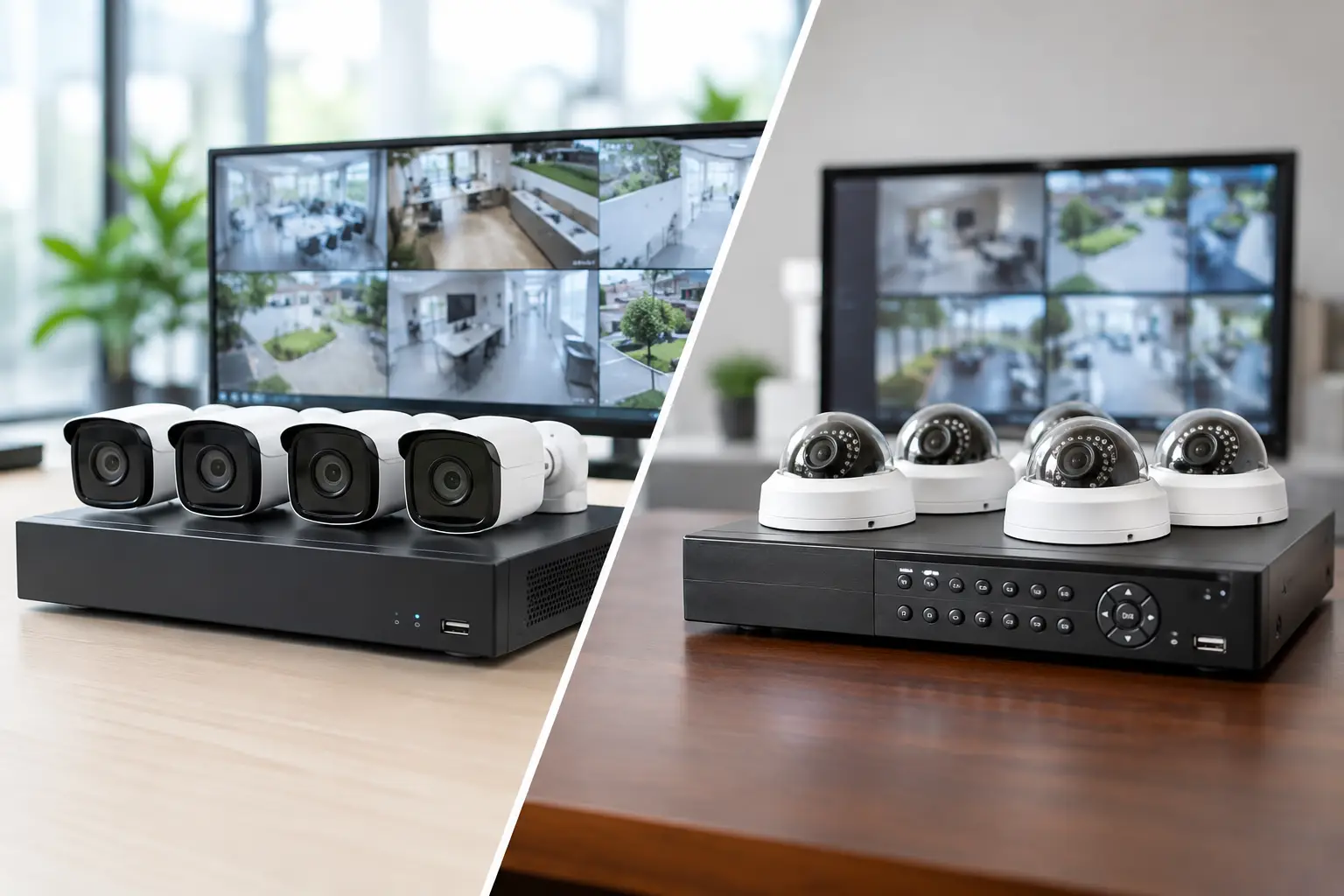
A security camera upgrade can quickly become an infrastructure decision. The choice between nvr versus dvr systems affects more than video quality: it influences cabling requirements, network capacity, installation disruption, remote access, and the cost of future expansion. For offices, schools, retail locations, and multi-site operations, the best option is the one that supports daily security needs without creating a maintenance burden later.
NVR Versus DVR Systems: The Core Difference
A DVR, or digital video recorder, is designed for analog or HD-over-coax cameras. Each camera sends its video signal directly to the recorder through coaxial cable. The DVR processes, records, and stores the footage locally.
An NVR, or network video recorder, works with IP cameras. Each camera captures and processes video at the edge, then sends digital footage over an Ethernet network to the NVR for recording and management. In many installations, the same structured cabling can carry both data and power through Power over Ethernet, or PoE.
That distinction drives most of the practical differences. DVR systems are often a sensible fit when an organization has usable coaxial cabling and needs to refresh an existing camera deployment at a controlled cost. NVR systems are generally better suited to new facilities, major renovations, and sites that need higher image detail, flexible camera placement, or a clear path to scale.
How DVR Systems Fit Existing Environments
DVR technology remains relevant, particularly in buildings with an established coaxial camera network. Reusing sound cabling can reduce installation time and avoid opening ceilings, walls, or finished work areas. For a small site with a defined number of cameras, this can be a practical way to improve recording quality without rebuilding the underlying infrastructure.
Modern DVRs can support HD-over-coax cameras, which offer a noticeable improvement over older analog equipment. A business may gain clearer images at entrances, cash handling areas, loading docks, and perimeter points while retaining much of its current cabling.
The trade-off is flexibility. A DVR requires a direct coaxial run from each camera to the recorder. Adding a camera in a distant area may require a new dedicated cable run, even if a network connection is already available nearby. DVR camera features are also typically more limited than those available with IP cameras, especially for advanced analytics, detailed zoom capability, and integration with broader business systems.
DVR deployments can also become less efficient as sites grow. A single office with eight cameras is one thing. A business with multiple floors, new branches, or frequent layout changes may find that dedicated coaxial home runs create unnecessary constraints over time.
Why NVR Systems Support Growth
NVR systems use IP cameras, which operate as devices on the network. This gives organizations more design options. A camera can be connected through a PoE switch near its location rather than requiring every cable to return directly to the recorder. For larger premises, this can simplify cabling routes and make expansion more manageable.
IP cameras also offer broader choices in resolution and functionality. Depending on the security objective, a business can select fixed cameras for general coverage, varifocal cameras for controlled views, fisheye cameras for wide open areas, or specialized models for low-light conditions. Higher resolution can help teams identify faces, read labels, or review activity across larger spaces, but more pixels are not automatically better. Resolution should match the scene, lighting, lens selection, and retention requirements.
Because the footage is digital from the camera onward, NVR systems often provide stronger options for remote viewing, user permissions, event search, and intelligent alerts. For example, an operations manager may need an alert for after-hours movement at a restricted door, while a facilities team may need quick access to footage following a delivery issue. These capabilities are useful when configured carefully, but they also require reliable network design and sensible access controls.
An NVR is not simply a camera recorder connected to the network. It is part of the business network. Bandwidth, switch capacity, VLAN design, PoE power budgets, cybersecurity, and storage planning all need attention. A poorly planned NVR installation can affect camera reliability or place unnecessary load on production traffic. A properly designed one keeps security video dependable without disrupting day-to-day operations.
Image Quality Is Only One Part of the Decision
It is common to assume NVR always means better video. In many cases, IP cameras provide higher available resolutions and more advanced imaging options. Still, a clear image depends on the full installation, not just the recorder type.
A camera pointed at a bright lobby window may struggle with glare. A low-resolution camera installed too far from a doorway may not capture a useful identification image. A high-resolution camera with insufficient storage may force aggressive recording settings that reduce practical value. Lighting, field of view, camera height, frame rate, compression, and retention time should be planned together.
For many organizations, the most effective approach is to prioritize critical areas rather than applying the same camera specification everywhere. Entrances, server rooms, inventory areas, registers, loading bays, and access-controlled doors often need more detailed coverage than hallways or general common areas. This targeted design controls cost while improving the evidence available when an incident occurs.
Cabling and Network Requirements
Cabling is often the deciding factor in the NVR versus DVR systems discussion. DVR systems generally use coaxial cable for video, with separate power cabling unless power is delivered through a compatible coaxial solution. NVR systems commonly use Cat5e or Cat6 Ethernet cabling with PoE, allowing one cable to deliver both network connectivity and power to each camera.
For a new office, a structured cabling installation built around Cat6 can support IP cameras alongside wireless access points, IP telephones, access control equipment, and workstation connectivity. This creates a more adaptable foundation for future changes.
For an older site, however, replacing all coaxial runs may not be justified. The condition, route availability, length, and accessibility of existing cable should be assessed before selecting a platform. In some cases, a phased approach makes more commercial sense: retain functional DVR infrastructure in lower-priority areas while deploying IP cameras and NVR recording for critical zones or new additions.
Network capacity deserves equal attention. IP video can consume significant bandwidth, especially with high-resolution cameras, continuous recording, and large camera counts. A security design should account for uplink speeds, switch ports, PoE capacity, recording traffic, and whether cameras will operate on a dedicated VLAN. Separation helps protect business applications and makes troubleshooting easier.
Storage, Retention, and Reliability
Both systems need enough storage for the required retention period. The right storage capacity depends on camera count, resolution, compression method, frame rate, activity level, recording schedule, and whether recording is continuous or event-based.
A warehouse with constant movement will create more recorded data than a quiet office corridor using motion-triggered recording. A business that must retain video for 30, 60, or 90 days will need substantially more capacity than one reviewing footage within a short period. Storage should be calculated before equipment is purchased, not estimated after the recorder is full.
Reliability also extends beyond hard drives. The recorder should be installed in a secure, ventilated location with appropriate power protection. Network switches, cameras, and recording equipment should be supported by an uninterruptible power supply where continuity is required. For high-risk areas, organizations may also consider redundant storage, health monitoring, and a documented process for checking camera and recording status.
Security and Access Control Integration
Physical security works best when systems provide useful context together. NVR platforms can often integrate more readily with IP-based access control, intercoms, and alarm inputs. When a door is forced open or an access card is presented, video can be associated with that event for faster investigation.
Integration should serve a clear operational purpose. A corporate office may use it to investigate after-hours access. A retail operation may use it to review stockroom entries. An education environment may need controlled visibility and strict user permissions to protect privacy. The goal is not to collect more video than necessary. It is to give authorized personnel reliable information when they need it.
Remote access also requires disciplined configuration. Default passwords, broadly shared logins, outdated firmware, and exposed recorders create avoidable risk. Use named user accounts, strong authentication, least-privilege permissions, and regular firmware management. If remote viewing is required, it should be designed as part of the security architecture rather than added casually after installation.
Choosing the Right System for Your Site
A DVR is often the practical choice when existing coaxial cabling is in good condition, the site has a stable camera count, and the main objective is an economical upgrade. It can deliver dependable surveillance for smaller or less complex environments without unnecessary infrastructure replacement.
An NVR is usually the stronger long-term choice when a business is building a new location, relocating offices, expanding across floors or sites, or requiring detailed video and advanced system integration. It offers more flexibility, but only when supported by suitable cabling, switching, storage, and network design.
The decision should start with an on-site assessment rather than a recorder specification. Review the existing cabling, coverage gaps, lighting conditions, business-critical areas, retention obligations, and future expansion plans. I-Weblogic approaches CCTV as part of a connected infrastructure plan, so camera recording, structured cabling, network performance, and access control can be coordinated instead of treated as separate projects.
The right surveillance system is the one your team can rely on during an incident and expand without disruption when the business changes.

