
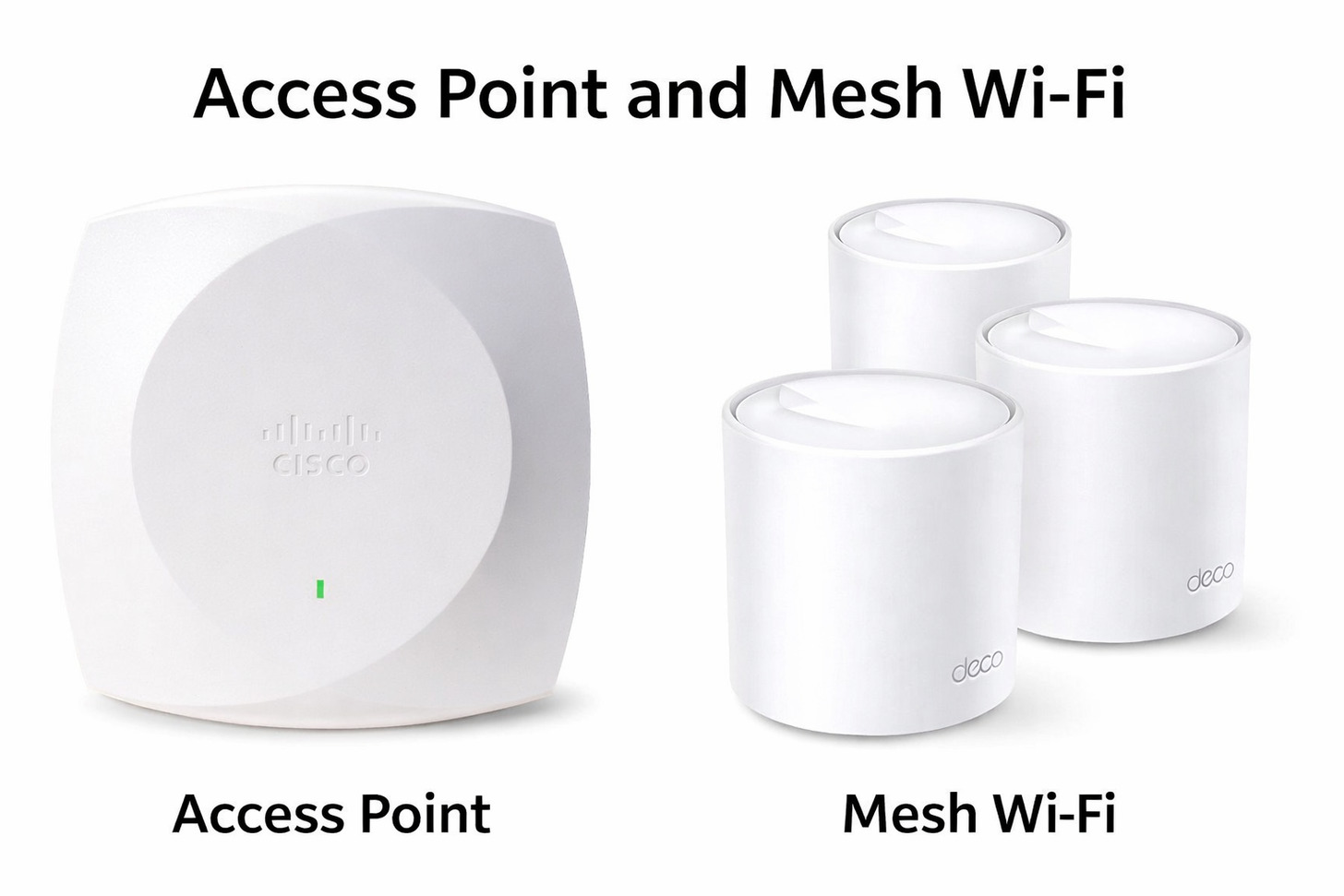
Why Professional Enterprise WiFi (Using Wired Access Points) is Superior to Mesh WiFi for Singapore Offices and Large Commercial Spaces

Problem: consumer mesh promises simplicity but costs businesses in productivity and hidden installation work. Mesh nodes still need power at every point, creating the same labour as running network cabling—yet deliver far weaker performance as you scale.
Cost: the wrong choice wastes capex and staff time. A professional wired design pays back fast through fewer support calls, reliable video calls, and predictable cloud access—real ROI that shows within months for most businesses.
Our solution: we design enterprise WiFi Singapore customers trust—structured Cat6 cabling, PoE access points, and policy-based network management tied to your Microsoft 365 identities. With 23 years’ local experience, we build networks that keep your business online and productive today.
Ready to stop losing time to flaky WiFi? WhatsApp us now: +65 8782 7613
The Mesh Network Hidden Trap That Kills Business Productivity
Problem: consumer mesh looks easy but it often costs businesses real productivity. Mesh marketing hides two facts: nodes still need power at every location, and wireless node-to-node backhaul steals usable bandwidth under load. The result: frozen video calls, slow file sync, and cloud apps that time out—despite full signal bars.
If you’re paying contractors to run cables during a fit-out, running Cat6 instead of a power lead costs roughly the same in labour—but delivers vastly better performance and predictable connectivity. Stop paying twice: once for mesh hardware and again to rip it out when it fails your users.
Installation reality: professional cable drops in Singapore typically run in the same labour range whether you pull power or Cat6—so choose the cable that delivers business-grade network, not a consumer shortcut.
Cost impact snapshot: mesh hardware plus power wiring looks cheaper up front but often doubles operational pain. A wired design gives predictable bandwidth and reliable connectivity for business apps and video calls, protecting your broadband investment and staff time.
Book a concise site survey and TCO comparison now—know the real cost to your business before you buy.
Understanding the Wireless Backhaul Penalty: Why Mesh Kills Your Network Speed
Summary for decision-makers: wireless backhaul consumes airtime. In typical consumer mesh setups the radios spend substantial capacity passing data between nodes instead of serving users—so available throughput falls sharply as you add nodes and devices. That means lower effective gbps to users when your team needs it most (video conferencing, cloud backups, large file transfers).
Wired Access Points (Business Outcomes)
- Guaranteed wire-speed per AP—his provides the consistent speed needed to keep cloud apps and VoIP calls running smoothly without lag
- Stable video and voice calls under load
- Scales to hundreds of devices without unpredictable slowdowns
- Centralized management, monitoring and SLA-grade support
Mesh Networks (Business Risks)
- Airtime spent on node-to-node traffic reduces usable bandwidth
- Performance drops as devices and concurrent sessions increase
- Consumer-grade management and shorter product lifecycles
- Hidden installation and replacement costs that erode TCO
Real-World Impact on Singapore Businesses
Example outcome we measure: clients who moved from consumer mesh to structured Cat6 + enterprise APs report far fewer support incidents, consistent cloud app performance, and reliable video calls—protecting sales meetings and customer-facing services that depend on stable broadband and internal network performance.
Already wired for mesh power? We can convert existing cable pathways to Cat6 and preserve your installation spend—turning a bad investment into a permanent infrastructure asset. Contact us on WhatsApp
Access Point vs Mesh Network: The Technical Comparison Singapore Businesses Need
For business buyers: the choice is not academic. Enterprise APs with PoE and a managed controller deliver predictable coverage, stronger security, and centralized policy enforcement—critical for regulated industries and businesses that rely on steady cloud performance.
| Feature | Enterprise Access Points | Mesh Networks |
| Device capacity | 100–250 concurrent devices | 15–30 concurrent devices |
| Bandwidth to users | 1 Gbps wire-speed via Cat6 | Effective bandwidth drops with hops |
| Management | Centralized controller + monitoring | Mobile app; limited analytics |
| Security | WPA3 Enterprise, 802.1X, Azure/AD integration | Shared passwords; limited logging |
Business takeaway: if your operations depend on reliable broadband, high-density device support, and secure access (guest segregation, Microsoft 365 integration), enterprise APs with structured cabling are the clear choice.
The Cat6 Solution: How Structured Cabling for Offices Delivers Enterprise WiFi Singapore Businesses Trust
Why it matters to your bottom line: a properly installed Cat6 cable delivers both gigabit Ethernet and Power over Ethernet to each access point, removing wireless backhaul bottlenecks and giving predictable, wire‑speed connectivity for business apps, video calls and cloud services.
What Cat6 Cabling Actually Provides
One Cat6 drop equals two business outcomes: guaranteed gigabit access for your AP, and reliable PoE power—no ad hoc power leads, no placement compromises. That means access points go where RF engineering requires, not where an outlet happens to be.
The Ten-Year Infrastructure Investment
Think infrastructure, not gadgets. Cabling is a one‑time asset that typically lasts 15–20 years; access points are replaceable components. When you budget for enterprise WiFi, the right cabling turns repeated hardware refreshes into small, predictable upgrades rather than expensive retrofits.
Total Cost of Ownership Reality: professional structured cabling plus enterprise APs costs more upfront but reduces replacement cycles and support overhead. Proper installation protects your broadband and phone investments and lowers long‑term operational costs.
Flexibility and Future‑Proofing
Cat6 supports current and future WiFi standards and also carries services beyond WiFi—IP phones, security cameras, access control—so each cable increases your building’s value and reduces future installation costs.
Installation Standards and Quality Control
We follow industry cabling standards and certify every drop. That certification prevents months of troubleshooting later and gives you documented performance for audits and procurement decisions.
Unlike consumer mesh, enterprise installs include centralized management, monitoring and formal support—so you get SLAs and proactive maintenance, not reactive troubleshooting.
Need a Network That Performs Under Real Business Demands?
We design wired infrastructure that delivers consistent speeds and reliable voice solutions integrated with Microsoft 365 authentication. Our Singapore team has the experience to convert fit‑out cable work into long‑life network assets.
WhatsApp +65 87827613Email Our Team
The Wired Mesh Network Myth: Why “Best of Both Worlds” Doesn’t Exist
While a quick setup is tempting, the long-term operational cost of residential-grade hardware often outweighs the initial savings.
Short answer for business decision‑makers: if you’re paying for professional cable installation, choose enterprise APs. Wired mesh uses residential hardware on commercial cabling and delivers limited management, security and lifecycle support compared with true enterprise systems.
What Wired Mesh Actually Delivers
Wired mesh removes wireless backhaul but keeps consumer‑grade hardware and mobile‑app management. That means limited analytics, no enterprise authentication, and shorter product lifecycles—all poor fits for regulated or scale‑sensitive businesses.
The Management and Support Problem
Enterprise APs include professional support contracts, remote diagnostics, firmware management and monitoring tools. Consumer/wired‑mesh vendors typically offer patchy support and fewer management features, increasing time to resolution and operational risk.
When Wired Mesh Makes Sense (Rarely)
Only very small operations with minimal IT needs and fewer than ~10 users should consider wired mesh. For most businesses, the incremental hardware cost for enterprise APs is small compared to installation labour and long‑term management savings.
Components of Professional Enterprise WiFi Singapore Installations
Buyers should evaluate complete systems—not just APs. Key components: PoE switches, Cat6 cabling, enterprise APs, a centralized controller (cloud or on‑prem), backup power, and monitoring tools that translate into lower downtime and measurable business value.
Core Infrastructure Components
Managed PoE switches, enterprise APs (WiFi 6/6E), and a controller provide centralized policy, QoS, and monitoring. This stack supports high device density, prioritizes voice/video traffic, and integrates with Microsoft 365 for per‑user access control.
Supporting Infrastructure
Good designs include certified Cat6 cabling, UPS backup for critical network gear, and documented test results. Those elements keep phones, collaboration tools and cloud services working during outages and protect business continuity.
Network Switching
- Managed PoE switches (24–48 ports)
- VLAN segmentation and QoS
Access Points
- WiFi 6 / 6E enterprise APs
- PoE installation and centralized management
Network Controller
- Cloud or on‑prem controller with alerts
- Automated firmware and analytics
Cabling Infrastructure
- Cat6 / Cat6A cabling with certification
- Documentation, labelling and pathway management
Security and Authentication Systems
Enterprise deployments separate guest and corporate networks, integrate with Microsoft 365/AD via 802.1X, and use WPA3 Enterprise—critical for compliance and auditability in professional services, healthcare and finance.
Monitoring and Management Tools
Proactive monitoring reduces incident volume and shortens mean time to repair. That lowers support costs and protects revenue-producing activities—real operational savings, not just tech bragging rights.
Planning Your Enterprise WiFi Deployment: The Professional Approach
Skip the guesswork. Our three-step process—Survey → Build → Support—delivers predictable connectivity, faster rollouts, and measurable ROI so your team spends time on work, not troubleshooting.
Survey: RF site survey & capacity planning
We run RF surveys and device counts to size the network for today and growth. This prevents costly retrofits and ensures consistent coverage for video, cloud apps and collaboration tools. Early planning saves installation time and limits disruption during fit‑out.
Build: certified installation
Installation follows industry standards with certified Cat6 drops, PoE switching and documented test results. Doing the cabling right during fit‑out converts one‑off labour into a long‑life infrastructure asset—reducing future installation and support costs.
Support: monitoring and lifecycle management
Our managed support includes monitoring, automated firmware updates, and proactive capacity planning. That reduces downtime, shortens mean time to repair, and keeps your broadband and phone systems operating during critical periods.
- Professional RF site survey
- Device & growth projections
- Application bandwidth requirements for broadband plans
- Guest policy and Microsoft 365 integration
- Budget, timeline and installation coordination
- Access point placement plan
- Network architecture diagram
- Cable pathway documentation & certification
- Implementation timeline and acceptance tests
- Skipping site surveys
- Underestimating device growth
- Delaying until after fit‑out completion
- Choosing the lowest bid without support guarantees
Timeline and coordination
Typical deployments run 4–8 weeks from survey to handover (smaller sites compress to ~3 weeks). We coordinate with your fit‑out and service providers to avoid delays and get your team productive fast.
How I‑Weblogic Saves Singapore Businesses from WiFi Infrastructure Mistakes
We convert infrastructure spend into business value. Our approach focuses on your applications and KPIs—reducing support calls, improving meeting reliability, and protecting cloud productivity.
Our process
We visit, measure, design and deliver—then manage. Every install uses certified cabling, PoE switches, enterprise APs and integration with Microsoft 365 where required. Documentation and test reports are handed over at project completion.
Post-installation support that pays back
Our ongoing maintenance service ensures your infrastructure remains optimized, preventing the minor bottlenecks that lead to major downtime. We also prioritize clear voice communications for staff, ensuring that every call remains crystal clear across your entire office.
Business outcomes
Reliable connectivity means fewer interruptions to sales calls, smoother cloud workflows, and lower support costs. That translates to measurable productivity gains and faster payback on installation investments.
Experience That Matters

23 years delivering enterprise-grade network installations across Singapore.
End‑to‑end Service

Design, installation, certification and managed support—single vendor accountability.
Local Team

Singapore-based engineers who know local buildings, service providers and compliance.
Our commitment
We guarantee installations meet the documented survey targets and provide the support to keep your network delivering business value.
Ready to build reliable infrastructure?
Get a free site survey and TCO comparison. We’ll show exact payback and an installation plan tailored to your business.
WhatsApp +65 87827613Email info@i-weblogic.com
True Cost Comparison: Enterprise WiFi vs Mesh for Singapore Businesses
Don’t buy on sticker price. Total Cost of Ownership matters: initial hardware, cabling and installation, ongoing support, replacement cycles, and the productivity impact of unreliable connectivity all determine real business value.
Executive summary
Professional enterprise infrastructure requires more than just hardware; it is a comprehensive solutions-based investment. While enterprise installs may have higher upfront costs than consumer gear, they protect your fiber broadband investment, stabilize phone systems, and eliminate the productivity-killing support load and replacement cycles common in retail-grade mesh. For most Singapore businesses, the true payback is realized through fewer support incidents, reliable video conferencing, and uninterrupted access to the cloud collaboration tools that drive your revenue.
Practical numbers (typical 1,000 sqm office)
Enterprise option: 4–6 enterprise APs, PoE switch, controller and certified Cat6 cabling—professional installation typically yields a complete system built to last. Mesh option: cheaper hardware but added power wiring, shorter product lifecycles and higher operational risk.
| Cost Category | Enterprise WiFi (typical) | Mesh Network (typical) |
| Initial hardware | $1,400–$3,600 | $1,400–$3,000 |
| Cabling & installation | $2,000–$9,000 (certified Cat6) | $2,200–$7,200 (power wiring) |
| Annual support & monitoring | $1,500–$2,000 | Minimal / reactive |
| Replacement cycles (10 yrs) | $3,000–$5,000 (one upgrade) | $12,000–$20,400 (multiple replacements) |
Real business impact
Productivity hits are the largest hidden cost. Even small daily interruptions to video calls and cloud sync add up—time lost equals real payroll and opportunity cost. Investing in enterprise-grade infrastructure protects revenue-generating activities and customer-facing services that rely on stable fibre broadband and internet connections.
Fast example ROI
For a 20-person office, shaving 5 minutes per person per workday from troubleshooting equals ~80 hours/month saved. At a conservative labour cost that often pays back installation within months—long before mesh needs its first replacement.
Want a precise comparison for your business? We’ll run a free TCO comparison showing exact numbers for your site, broadband plan and growth forecast.
Common Questions About Enterprise WiFi for Singapore Businesses

Can I upgrade my existing mesh system to enterprise WiFi without replacing everything?
Often yes. If mesh nodes already have power cabling routed, we can reterminate pathways to Cat6 and replace mesh units with enterprise APs—leveraging existing labour and reducing retrofit cost. We’ll quantify the retrofit in our TCO review.
How long does installation take?
Typical timelines are 4–8 weeks from site survey to handover for standard office fit-outs. Smaller jobs can complete in ~3 weeks; complex multi-floor deployments take longer. We coordinate with your fit‑out and service providers to minimise downtime.
Do I need ongoing support contracts?
You can self-manage if you have network expertise, but most businesses save money with a managed support plan—monitoring, firmware updates, and proactive capacity planning reduce emergency troubleshooting and protect your broadband and phone services.
Can enterprise WiFi integrate with Microsoft 365 and corporate systems?
Yes—enterprise systems integrate with Azure AD / Microsoft 365 for per-user authentication, and support secure guest networks, VLANs and logging required for audits and compliance.
WiFi Technology Evolution and Future-Proofing Your Investment
Business summary: adopt standards that deliver immediate operational value and protect your investment. Deploying enterprise WiFi on a certified Cat6A cable plant lets you upgrade access points as standards evolve while avoiding repeated cabling costs—reducing replacement risk and transition downtime.
Standards that matter to your business
Deploy WiFi 6 / 6E APs today to get better real-world performance in high‑density environments and access cleaner 6 GHz spectrum where available. These standards improve multi‑device efficiency and lower latency for collaboration tools and ultra-fast broadband use cases—without waiting for future iterations.
Backward compatibility & device support
Enterprise APs serve mixed device fleets gracefully. Newer APs improve performance for modern devices while supporting legacy clients—so your users get immediate benefits without forcing a forklift refresh of every endpoint.
Investment strategy (short)
- Install Cat6A cabling for 10 Gbps headroom and long life
- Choose enterprise APs with multi‑year support lifecycles
- Plan AP upgrades every 5–7 years, cable plant lasts 15+ years
- Use monitoring tools to trigger upgrades based on real usage

Spectrum & Singapore context
Singapore’s dense RF environment benefits from enterprise spectrum management tools and, where permitted, 6 GHz channels. These capabilities reduce interference, improving performance for sales calls, video conferences and cloud applications that rely on reliable broadband.
Industry-Specific Enterprise WiFi Applications in Singapore
Focus on business outcomes: sector-specific deployments protect revenue, compliance and operations.
Professional services
Secure per-user access integrated with Microsoft 365 ensures client data protection and reliable video conferencing—critical for billable hours and client retention.
Healthcare
Segmentation, logging and high availability protect patient systems and ensure compliance with local data protection requirements—minimizing clinical risk from outages.
Retail & hospitality
Consistent connectivity keeps POS and ordering systems online and enables customer WiFi that drives marketing and loyalty without exposing corporate resources.
Manufacturing & logistics
Robust designs handle large open spaces and heavy-duty RF challenges; VLANs isolate operational IoT devices from corporate IT for security and performance.
Education & training
High device density support for classrooms and training centres keeps collaboration tools and content delivery responsive.
Coworking
Reliable, segregated networks are a commercial advantage for tenants and property managers.
Property management
Managed WiFi as a building amenity simplifies tenant services and centralizes ops for landlords.
Network Security Considerations for Singapore Businesses
Cybersecurity is a business requirement. Enterprise WiFi provides per-user 802.1X, WPA3 Enterprise, VLAN segmentation, logging and IDS integration—features consumer mesh cannot deliver reliably.
Authentication & access control
Use Microsoft 365 / Azure AD integration for per-user policies and immediate revocation on staff departure—reducing insider risk and simplifying compliance.
Encryption & monitoring
WPA3 and layered network controls protect data in transit; monitoring tools and centralized management detect anomalies before they impact sales or operations.
Compliance
Enterprise systems generate audit-ready logs and enforce controls required by regulators—critical for finance, healthcare and other regulated sectors.
Making the Right WiFi Infrastructure Decision for Your Business

Problem: consumer mesh looks cheap but creates recurring costs—downtime, lost sales calls, and endless support tickets that erode productivity and customer experience. Cost: mesh often requires rework and frequent replacement; enterprise infrastructure is a one-time cabling investment that protects your broadband and phone systems over many years.
Our solution: we design and install enterprise WiFi that delivers measurable ROI—certified Cat6 cabling, PoE enterprise APs, Microsoft 365 integration, and managed support that keeps your network and internet services reliable. The result: fewer interruptions to sales and collaboration tools, lower support overhead, and faster time-to-value.
Ready to stop wasting time and money? Book a free site survey and TCO comparison—WhatsApp us now: +65 8782 7613 or email info@i-weblogic.com.


Pingback: Fiber Optic Network Installation for Business - I-Weblogic Pte Ltd
Pingback: Enterprise Network Design Guide for Growth - I-Weblogic Pte Ltd