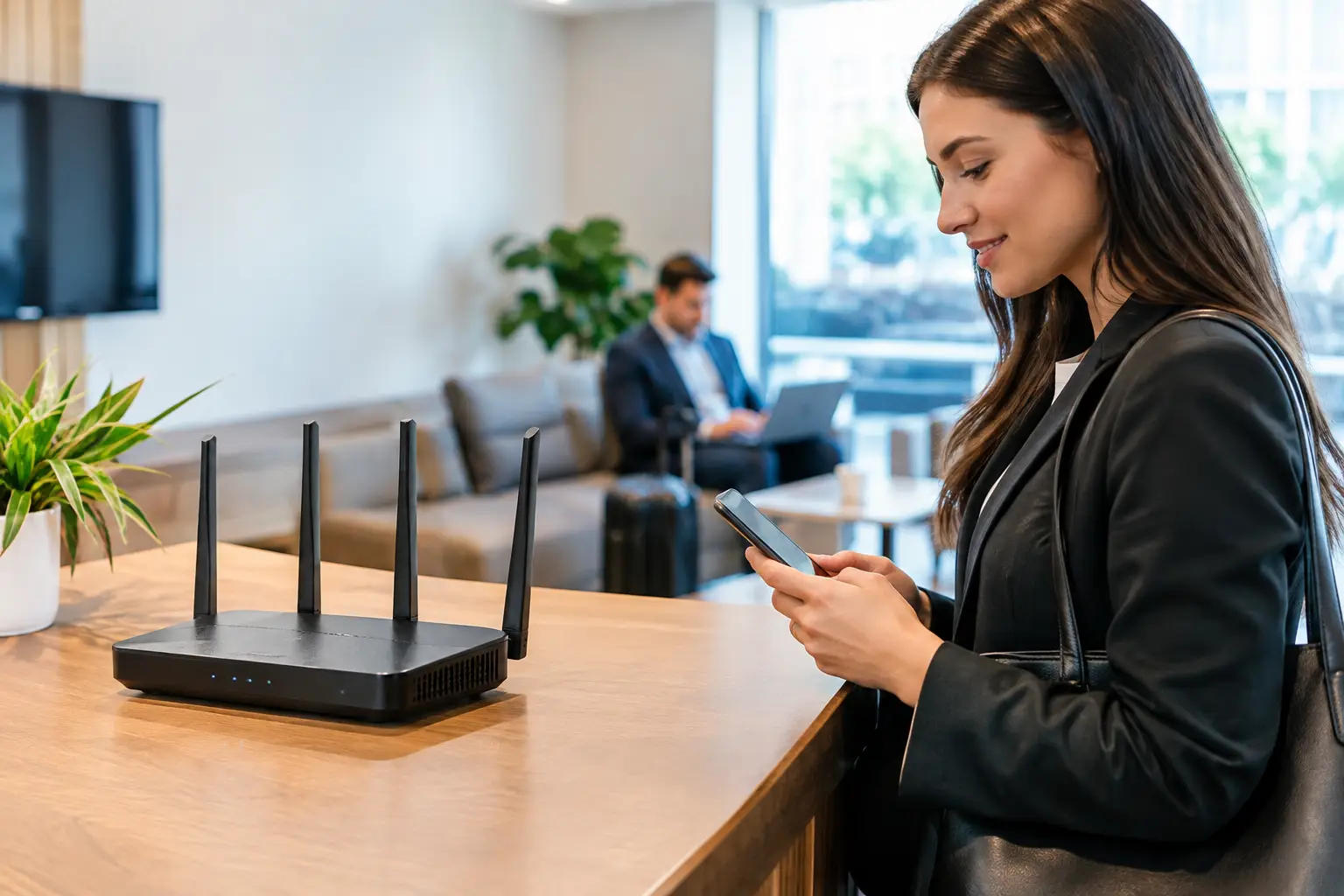
A guest asks for the WiFi password at reception. What should be a simple courtesy can become a security exposure if visitors connect to the same network as employee laptops, printers, cameras, payment terminals, or business servers. To configure guest WiFi properly, treat it as a separate business service with clear access rules, capacity limits, and a defined purpose.
For offices, schools, retail sites, and multi-location businesses, the goal is not merely to provide internet access. It is to give guests a reliable connection without allowing their devices to reach operational systems. The right design protects the organization while keeping the experience straightforward for visitors and manageable for IT teams.
Why guest WiFi needs its own network
A shared wireless password may seem convenient, particularly in a small office. However, placing personal devices, contractor equipment, and customer phones on the same network as internal resources creates avoidable risk. An unmanaged device could scan for shared folders, attempt to reach a network printer, spread malware, or consume bandwidth needed for voice calls and cloud applications.
A dedicated guest network separates visitor traffic from business traffic. This separation is usually created through a separate SSID, or wireless network name, and a dedicated VLAN. The VLAN keeps guest devices in a different network segment, while firewall policies control exactly where that segment can communicate.
The rule should be simple: guests may access the internet, but they should not access internal networks, management interfaces, security cameras, access-control systems, printers, or shared storage. This is especially important where physical security and network infrastructure are connected. A camera system or door controller should never be reachable from a visitor’s phone.
Plan before you configure guest WiFi
A secure configuration begins with a practical assessment of who will use the service and how often. A client-facing showroom may need easy, branded access for a steady flow of short-term visitors. A training center may need capacity for dozens of attendees connecting at once. A corporate office may only need occasional access for suppliers and interview candidates.
This determines the number and placement of wireless access points, expected internet usage, authentication method, and bandwidth allocation. It also helps avoid a common problem: guest WiFi that works well in the lobby but becomes unreliable in meeting rooms, classrooms, or open work areas.
Review the existing network at the same time. Confirm that switches support VLANs, the firewall can apply policies by network segment, and wireless access points can broadcast multiple SSIDs. Older all-in-one routers can offer basic guest isolation, but they may not provide the visibility, capacity, or control required in a growing business environment.
Build the guest network on a separate VLAN
The technical foundation is network segmentation. Create a dedicated guest VLAN with its own IP address range and DHCP scope. For example, employee devices, voice systems, and security equipment can each remain in their own network segments, while guests receive addresses only from the guest VLAN.
Then configure the firewall so the guest VLAN can reach the internet but is denied access to private internal networks. This should include every internal range, not just the primary office subnet. Businesses with separate networks for CCTV, IP telephony, building management, servers, or branch connectivity must include those segments in the deny policy.
Do not rely on the SSID name alone. Calling a network “Guest” does not make it isolated. The SSID must be mapped to the correct VLAN, carried correctly across switch ports, and governed by firewall rules. Testing from an actual guest device is essential. Confirm that a user can browse the internet but cannot open a printer page, reach a file server, or view a camera interface.
Add client isolation where appropriate
Client isolation prevents devices connected to the guest network from communicating directly with one another. This reduces the chance that one visitor can discover or target another visitor’s phone or laptop. It is a sensible default for public-facing sites, reception areas, and shared event spaces.
There are exceptions. A presenter may need to cast from a guest device to a display, or a training group may use local collaboration tools. In these cases, create a separate, time-limited event network rather than weakening the standard guest network for everyone.
Choose an access method that fits the environment
A password-protected guest SSID is often sufficient for a small office with occasional visitors. Use a unique, reasonably long passphrase and change it when staff turnover, event schedules, or exposure risk makes that necessary. Avoid using the same password as the employee network.
For businesses that welcome frequent visitors, a captive portal can provide better control. Users connect to the SSID, accept terms of use, and may receive access through a voucher, SMS code, email registration, or reception-issued credentials. This can reduce the need to repeatedly share a permanent password and gives administrators a way to set session expiry.
Authentication should match the level of risk and administration the organization can support. A hotel-style portal may be unnecessary for a ten-person office. Conversely, a retail chain, education facility, or large campus may need centrally managed guest access, consistent policies across sites, and reporting that local shared passwords cannot provide.
If the WiFi platform supports WPA3, enable it where client compatibility permits. WPA2 remains necessary for some older devices, so a mixed-mode setting may be appropriate during transition. The priority is to use current encryption without creating a support issue for legitimate visitors.
Control bandwidth without making the service frustrating
Guest traffic can affect business performance when one or two devices begin downloading large files, streaming high-resolution video, or running cloud backups. Rate limits protect critical applications such as video conferencing, cloud systems, IP telephony, and point-of-sale transactions.
Set a reasonable bandwidth cap per guest device or per guest network. The right figure depends on the available internet connection and typical visitor count. A small office with fast broadband may comfortably provide more capacity than a busy public venue with hundreds of concurrent users. Start with a policy that supports browsing, email, standard video calls, and presentations, then adjust based on real usage data.
Traffic shaping should not be used as a substitute for sufficient internet capacity. If the organization regularly hosts large events or runs hybrid training sessions, the connection and wireless design must be sized for that demand. Adding more access points will not solve a constrained internet circuit, and increasing internet bandwidth will not fix poor wireless coverage.
Apply content, DNS, and device safeguards
Guest networks benefit from DNS filtering and basic web security controls. These measures can block known malicious domains, phishing sites, and inappropriate categories based on company policy. They are not a replacement for endpoint security on a visitor’s device, but they add a useful layer of protection for the network and its users.
Keep wireless access point firmware, switches, and firewalls current. Network equipment is often overlooked because it operates quietly in the background, yet unpatched infrastructure can create significant exposure. Establish a maintenance schedule that includes firmware review, configuration backups, and confirmation that guest isolation rules remain in place after upgrades.
Also disable administrative access from the guest VLAN. Visitors should not be able to load the login pages for access points, switches, firewall appliances, or other network devices. Management access should be limited to authorized IT staff on a dedicated management network or through controlled remote access.
Monitor use and respect privacy
Logging helps troubleshoot complaints, identify unusual consumption, and demonstrate that access policies are working. Retain only the information needed for legitimate operational and security purposes, and establish a retention period that reflects applicable privacy obligations and internal policy.
Be transparent where a captive portal collects contact information or records acceptance of terms. Clear wording builds trust and avoids collecting data simply because the platform makes it possible. For many businesses, basic connection records and session duration are more useful than extensive personal data.
Review utilization periodically. If the guest network is consistently overloaded, the answer may be stronger wireless coverage, revised rate limits, a second internet connection, or better separation between guest and event traffic. Network decisions should be based on observed demand rather than assumptions.
Validate the configuration after deployment
Before handing the service to reception or publishing the network name, test it from several device types and locations. A complete validation should confirm that guests receive an IP address, can browse the internet, cannot reach internal systems, cannot administer network equipment, and experience acceptable performance at expected occupancy.
It is also worth testing failure scenarios. Restart an access point, confirm that DHCP renewals work, and verify that the guest VLAN remains blocked from internal resources after a switch or firewall configuration change. These checks are particularly valuable after an office move, network expansion, or security system upgrade.
I-Weblogic approaches guest wireless as part of the wider infrastructure environment, coordinating wireless design with cabling, switching, firewall policy, and physical security requirements. That coordinated approach reduces the gaps that can appear when each component is installed separately.
A well-configured guest network should fade into the background: visitors connect easily, employees retain reliable access to the systems they need, and the business maintains clear control over where traffic can go. That is the practical standard worth designing for.