
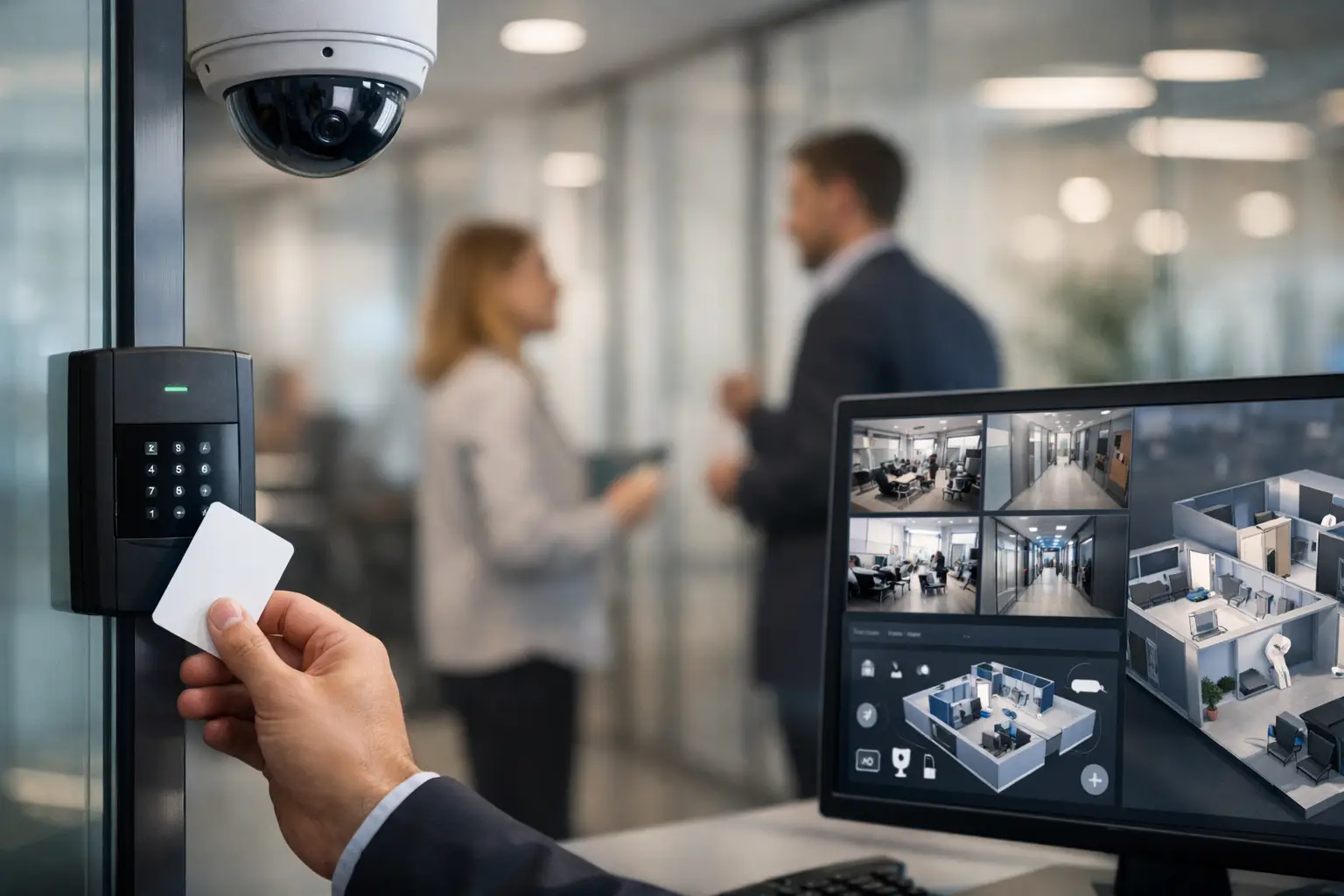
A door access reader that cannot communicate with the network, cameras installed without adequate storage, and cabling added as an afterthought create blind spots that cost time when an incident occurs. Knowing how to integrate office security means treating access, surveillance, connectivity, and building infrastructure as one operational system – not a collection of separate devices.
For an office manager, IT leader, or facilities team, the goal is practical: protect people, premises, equipment, and business information while keeping daily work moving. The right approach reduces manual administration, gives authorized staff appropriate access, and creates a clearer record of what happened when an issue needs investigation.
Start With Risks, Workflows, and the Site Layout
Office security should begin with an assessment of how the workplace actually operates. A small office with one main entrance has different requirements from a multi-floor corporate site, a school campus, or a retail business with several outlets. Buying equipment before defining the operating need often leads to duplicated systems, unnecessary cost, and poor coverage.
Walk through the site with the people who use and manage it. Identify public areas, employee-only zones, sensitive rooms, loading points, emergency exits, server rooms, storage areas, and locations where visitors are received. Consider more than unauthorized entry. Tailgating, lost keys, after-hours contractor access, theft of equipment, and disputes around deliveries are all common operational concerns.
Then map the workflows behind those risks. Who approves a new employee’s access? How are access rights removed when someone leaves? Does reception need to admit visitors remotely? Which staff members need entry after normal business hours? Are there privacy rules around camera placement or video retention? Clear answers determine the system design far better than a generic equipment list.
Build the Security Foundation Before Adding Devices
Physical security systems depend on dependable infrastructure. Access readers, IP cameras, intercoms, door controllers, and network video recorders all require considered power, connectivity, cable pathways, and equipment locations. If these foundations are weak, security performance will be weak too.
Design cabling for present needs and future changes
Structured cabling creates the backbone for connected security devices. Category cabling can support IP cameras, access control panels, wireless access points, and desk connectivity, while fiber optic links may be necessary between floors, buildings, or remote network rooms. Proper labeling, testing, containment, and documentation matter because they make future fault finding and expansion considerably faster.
Power over Ethernet can simplify installation by delivering data and power through one cable to compatible cameras, readers, and access points. It is efficient, but it must be designed around power budgets, switch capacity, cable distance, and backup power requirements. A camera may appear functional during installation yet fail when a switch is overloaded or mains power is interrupted.
Separate and protect the security network
Security devices should not simply be added to an open office network. Segmenting cameras, access control equipment, and management servers onto appropriate network segments helps limit exposure and keeps heavy video traffic from affecting business applications. Firewall rules should restrict communication to what is needed, with secure remote access for approved administrators rather than broad internet exposure.
This is also where IT and facilities teams need a shared plan. Facilities may own the daily use of doors and cameras, while IT manages network resilience, cybersecurity, user accounts, and backups. An integrated design clarifies these responsibilities from the start.
How to Integrate Office Security Systems That Work Together
The strongest office security design connects systems where doing so improves response, visibility, or administration. Integration does not mean every device must use one interface. It means information and actions can move between systems in a controlled, useful way.
Access control is usually the operational center. Biometric readers, card access, mobile credentials, PIN pads, keyless entry, and turnstiles can be assigned by person, department, location, and schedule. Instead of rekeying doors whenever staff change, administrators can adjust credentials through the management platform. This gives organizations a more reliable way to control access to offices, restricted floors, server rooms, and high-value storage areas.
CCTV adds visual verification. Cameras should cover entrances, reception points, corridors, loading areas, and other risk-based locations, with image quality selected for the task. A camera intended to identify a person at a doorway requires a different view from one monitoring general movement across a parking area. Avoid placing cameras simply where cabling is easiest to run.
When access and video events are connected, an access event can be reviewed alongside the relevant camera footage. For example, a forced-door alert or an attempt to use an invalid credential can direct authorized personnel to the correct video clip. This reduces the time spent searching through recordings and gives managers better context when responding to an incident.
Intercoms and visitor management can also support the same workflow. Reception or designated employees can verify a visitor before releasing a door, while visitor credentials can be limited by time, location, or escort requirements. In larger sites, turnstile integration can improve entry control and create a more orderly flow without creating an unwelcoming arrival experience.
Choose Technology Based on Operations, Not Features Alone
A long list of product features does not guarantee a suitable system. The decision should reflect site size, user volume, compliance needs, internal support capability, and plans for growth. A single-site SME may need a simple, well-managed IP camera and access control platform. A multi-site organization may require centralized administration, consistent policy controls, and resilient connectivity between locations.
Consider these questions before committing to a design:
- Can the system add doors, cameras, users, and sites without a costly replacement?
- Will it continue operating appropriately during a network or power outage?
- Who can view video, change access permissions, export footage, and administer the platform?
- How long must recordings be retained, and how much storage does that require at the selected camera resolution?
- Can the solution integrate with existing network, identity, intercom, alarm, or building systems where there is a clear operational benefit?
There are trade-offs. Higher-resolution cameras can provide better detail but require more storage and network capacity. Biometric access can strengthen identity assurance but needs careful consideration of privacy, consent, and local requirements. Cloud-managed systems can simplify multi-site oversight, while on-premises systems may better suit organizations with specific data control policies. The right answer depends on risk and operating conditions, not on selecting the most complex option.
Plan for Reliability During Normal Operations and Incidents
Security is only useful when it is available. That requires power protection, appropriate equipment environments, monitored storage capacity, tested network connections, and a documented response process. Network switches, recording equipment, controllers, and critical door hardware should be assessed for backup power needs. Fire doors and emergency exits must always meet life-safety requirements, which may require fail-safe or fail-secure behavior depending on the opening and applicable codes.
Set clear alert priorities. If every event creates a notification, staff will soon ignore them. Focus alerts on conditions that need a response, such as doors held open beyond a set period, forced entry attempts, offline cameras, storage faults, or access activity outside approved schedules.
Testing should be scheduled, not reserved for a failure. Review whether cameras are recording clearly, whether access rights reflect current staff roles, whether emergency release functions work as intended, and whether the right people know how to retrieve evidence. Security policies and technical systems should support each other.
Manage Privacy and User Adoption From Day One
An office security system can create friction if employees do not understand why it exists or how their data is handled. Communicate the purpose of cameras and access controls, define who can access records, and establish retention periods that align with business and legal requirements. Limit access to video and credential data to authorized roles, and keep an audit trail of administrative activity.
Practical training matters as much as installation. Reception staff should know how to manage visitors. Managers should understand how to request access changes. IT staff should know the network and cybersecurity controls. Employees should know how to report a lost card, damaged reader, or suspicious event quickly.
Use One Implementation Plan Across Disciplines
Office moves, renovations, and expansions are the best time to coordinate cabling, networking, access control, CCTV, wireless coverage, and communications systems. Separate contractors can complete individual tasks, but gaps often appear at the handoff points: an access door has no network point, a camera location lacks power, or a new security device competes with critical business traffic.
An experienced systems integrator can coordinate these dependencies in one design and implementation plan. I-Weblogic helps organizations align structured cabling, enterprise networking, CCTV, biometric access control, and related workplace infrastructure so each component supports reliable day-to-day operations.
Start with the doors, spaces, and processes your teams rely on most. A well-planned first phase that is documented, scalable, and properly supported gives the business a sound base for every future security upgrade.

