
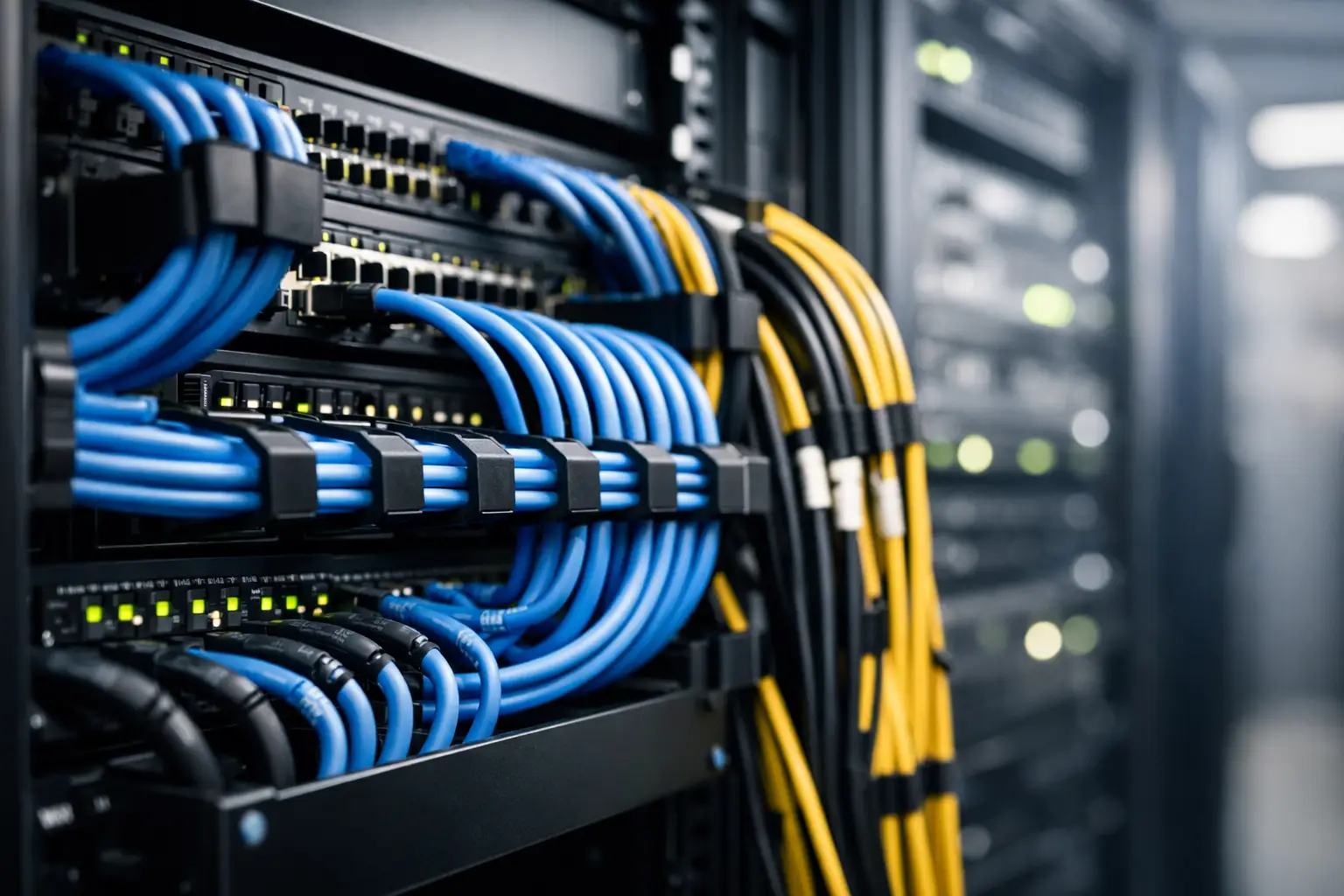
A server rack can look orderly on installation day and become difficult to support within months. A single urgent switch replacement, added access point, relocated workstation, or new security camera can introduce patch cords that obscure labels, block airflow, and make the next change slower. Effective server rack cabling management prevents that gradual loss of control. It gives IT and facilities teams a physical infrastructure that is easier to trace, safer to work on, and ready to expand without creating unnecessary downtime.
For businesses managing office networks, IP telephony, wireless access points, CCTV, and access control, the rack is more than a place to store equipment. It is the point where multiple operational systems meet. Treating cabling as an afterthought creates avoidable risk across all of them.
Why Rack Cabling Affects Business Operations
Poor cable organization is often dismissed as a cosmetic issue. In practice, it affects fault isolation, maintenance windows, equipment cooling, and the confidence of anyone asked to make a change. When a technician cannot quickly identify a patch lead, they may need to trace it manually or disconnect equipment to confirm its destination. That extends an otherwise routine task and raises the chance of interrupting a working service.
A crowded rack can also make it harder to see link lights, access power connections, replace failed devices, or inspect fiber pathways. If cable bundles obstruct front-to-back airflow, switches, servers, and firewalls may operate at higher temperatures than intended. The impact may not be immediate, but heat, strained connections, and repeated handling can reduce equipment reliability over time.
The business cost is usually felt during moments that require speed: an office move, a network outage, a new floor opening, or a security system upgrade. Clear routing and accurate records help teams respond decisively instead of spending valuable time determining what is connected to what.
Start With a Rack Design, Not a Collection of Cables
Good server rack cabling management begins before the first patch cord is installed. The design should account for the type and quantity of active equipment, the expected cable count, the path of incoming structured cabling, power distribution, fiber termination, and room for future growth.
A practical layout separates functional areas where possible. Patch panels and cable managers are typically positioned to support efficient patching to switches. Fiber enclosures should be protected from sharp bends and unnecessary movement. Power cables need their own pathways and should not be tightly mixed with data cabling. The right arrangement depends on the rack type, equipment depth, density, and whether the site uses copper, fiber, or both.
Planning for spare capacity matters. A rack built to its absolute maximum on day one leaves little room for additional users, new wireless coverage, surveillance cameras, or a second internet connection. It is usually more cost-effective to reserve rack units, patch panel ports, and cable pathways during installation than to rework a congested rack later.
Choose Horizontal and Vertical Management Carefully
Horizontal cable managers guide patch cords between equipment installed in adjacent rack units. They are useful for keeping short connections accessible and preventing cords from hanging across switch ports. Vertical managers handle larger bundles running up and down the sides of a cabinet or open frame.
The correct size is not simply the largest available. Oversized management can consume valuable rack space, while undersized channels force cables into tight bundles and make future additions difficult. High-density switch environments often require deeper vertical managers, particularly where many copper patch cords terminate on the same side of the rack.
Cable management should protect bend radius as well as appearance. This is particularly important for fiber optic cabling, where tight bends, compression, or poorly supported slack can affect signal performance. Fiber should be routed through purpose-built pathways with adequate slack storage, not tied into copper bundles as an afterthought.
Labeling Is the Fastest Way to Reduce Troubleshooting Time
A neat rack without labels is still difficult to manage. Every permanent cable, patch panel port, fiber strand, switch port, and power connection should be identified using a consistent naming convention. Labels should remain readable after normal handling and should be placed where a technician can see them without disconnecting anything.
The format should reflect how the business operates. For example, labels may identify a site, floor, telecommunications room, rack, patch panel, port, and destination outlet. The key is consistency. A naming system that is simple enough for internal staff and external service providers to follow is more valuable than a complex format that no one maintains.
Documentation should match the physical rack. This includes updated port maps, cable schedules, network diagrams, and records of equipment locations. If a cable is moved during a change, the documentation must be revised at the same time. Otherwise, a supposedly documented environment becomes unreliable, which can be worse than having no records at all.
Use the Right Cable Length and Type
Excessively long patch cords create loops, obstruct access, and encourage tight bundling. Patch cords should be selected in lengths that reach their destination through the intended cable manager with a small service allowance. Shorter is not always better, however. A cable stretched tightly between ports can strain connectors and complicate equipment replacement.
Color coding can improve visibility when it supports a documented standard. An organization may use different colors for user data, voice, wireless, security devices, uplinks, management networks, or temporary connections. The trade-off is that color alone should never be treated as identification. Personnel change, standards drift, and temporary patches become permanent more often than expected. Labels and records remain essential.
Use cable types that match the required performance and environment. Category 6A may be appropriate for higher-speed copper links and power delivery requirements, while fiber is often the better choice for longer distances, building backbones, and high-capacity uplinks. The decision should reflect application needs, pathway conditions, anticipated growth, and budget rather than a one-size-fits-all specification.
Separate Data, Power, and Security Pathways
Modern business racks often support more than network switches. They may include firewalls, uninterruptible power supplies, network video recorders, access control controllers, IP telephony gateways, and wireless controllers. Each system introduces its own cabling and maintenance needs.
Keeping data and power pathways organized reduces confusion and supports safer maintenance. Power cords should be routed to avoid covering network ports or hanging across equipment faces. Where redundant power is required, feeds should be clearly identified and physically separated where practical. A technician replacing a power supply should be able to verify the correct feed without disturbing neighboring connections.
Security infrastructure deserves the same discipline. CCTV and access control may depend on network connectivity, PoE budgets, and dedicated uplinks. Clear identification of these circuits supports faster troubleshooting when a door controller, camera, or recording system is affected. It also helps teams understand which changes could have a physical security impact.
Build Change Control Into Daily Rack Management
Even the best installation will degrade if changes are made informally. A basic process for adds, moves, and changes protects the investment. Before a patch is made, the responsible team should confirm the source and destination, select the correct cable, update the port record, and verify service after the work is complete.
Temporary connections should be treated with caution. Emergency patches are sometimes necessary, especially during an outage or phased migration. They should be labeled, recorded, and scheduled for proper remediation. Leaving temporary cables in place is one of the most common ways orderly racks become congested again.
Periodic rack reviews are worthwhile, particularly after office expansions, network refreshes, or security upgrades. The review can identify unsupported cable bundles, unlabeled ports, unused patch cords, blocked airflow, and capacity constraints before they create an operational problem. For multi-site organizations, applying the same standards across locations also reduces the learning curve for support teams.
When Professional Implementation Adds Value
A business may have capable internal IT staff but still benefit from an experienced infrastructure partner during a relocation, rack rebuild, or major upgrade. The work often involves coordination between structured cabling, network equipment, power requirements, wireless coverage, and physical security systems. Managing these dependencies through separate contractors can create gaps in accountability.
I-Weblogic approaches rack and cabling work as part of the wider operating environment. The goal is not simply a cleaner cabinet. It is a documented, scalable foundation that supports reliable connectivity, secure systems, and efficient future changes.
A well-managed rack gives your team something valuable during the next urgent request: clarity. When every cable has a purpose, pathway, and record, growth and troubleshooting become controlled tasks rather than disruptive investigations.

