
Why Your Beautiful Singapore Home Needs Professional Home Connectivity solution Design Singapore

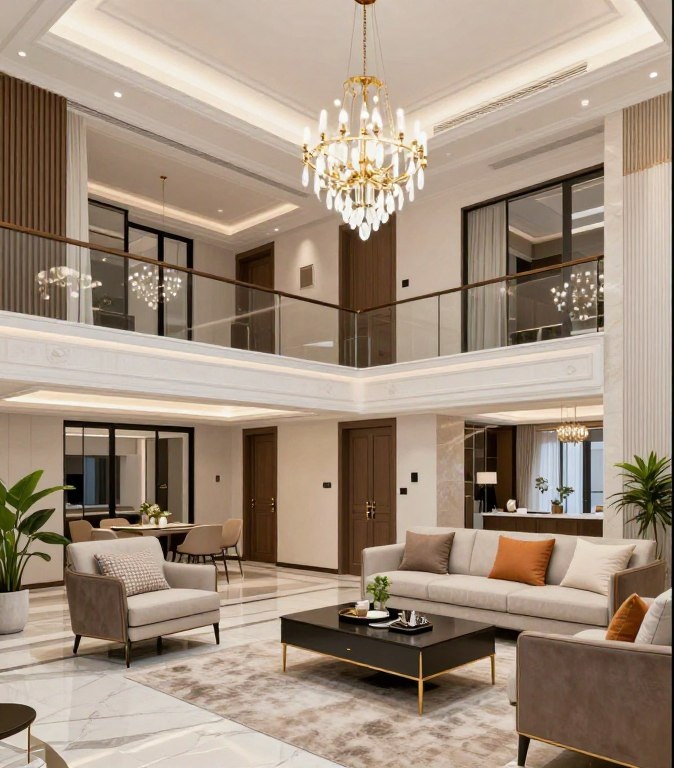
You invested millions in your dream home. Every detail was carefully chosen. The marble floors gleam. The lighting creates perfect ambiance. Your interior designer delivered exactly what you envisioned.
Yet your video calls drop in the study. Your smart home system fails to respond. Your children complain about buffering in their bedrooms. The CCTV cameras disconnect randomly.
Welcome to “The Beautiful Cave.” A stunning home that fails to function in today’s connected world. The problem isn’t your broadband speed. It’s your Connectivity solution infrastructure.
This article reveals why high-speed internet alone cannot deliver seamless connectivity. And how professional home network design transforms your property into a truly intelligent living space.
The Beautiful Cave: When Your Dream Home Becomes a Connectivity Nightmare

Picture this scenario. Your architect designed a magnificent two-story bungalow. Your builder executed it perfectly. Your renovation cost exceeded two million dollars.
But nobody planned the Connectivity infrastructure.
The standard practice in Singapore construction treats internet connectivity as an afterthought. Builders install a single network point in the living room. They assume your Internet Service Provider’s router will handle everything.
It won’t.
Common Pain Points in Landed Properties
Singapore homeowners in bungalows and semi-detached homes consistently report these frustrations:
- WiFi signal fails to reach the garden, porch, or outdoor entertainment areas
- Video conferencing becomes impossible in upstairs bedrooms
- Smart home devices randomly disconnect and require constant rebooting
- CCTV security systems experience lag or complete signal loss
- Multiple routers create ugly cable clutter throughout your beautiful home
- Streaming services buffer despite paying for gigabit internet
- Different floors require different System names and constant manual switching
- Guest WiFi exposes your primary network to security vulnerabilities

These aren’t minor inconveniences. They represent fundamental infrastructure failures. Your home Digital backbone was designed for 2005. But you’re living in 2025.
Why Consumer “Mesh” Systems Fail
Many homeowners attempt to solve these problems with consumer mesh WiFi systems from electronics retailers. These systems promise seamless coverage. They deliver disappointment.
Consumer mesh systems were designed for apartments and small homes. They cannot handle the physical size of landed properties. They struggle with device density when you connect 50-100 smart home devices, cameras, computers, phones, and IoT equipment.
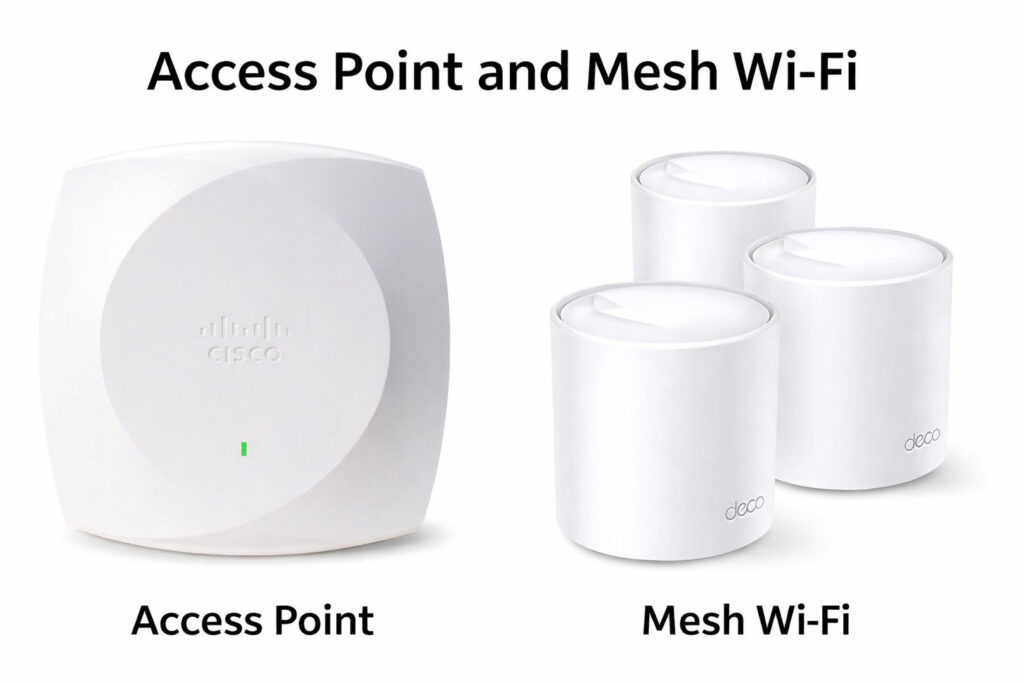
More importantly, these devices create visual pollution. Multiple plastic routers with blinking LED lights scattered throughout your home. Cables running along baseboards. The aesthetic nightmare your interior designer worked to avoid.
Experiencing these Connectivity issues in your landed property? +65 8782 7613
The Professional Solution: Enterprise-Grade WiFi Infrastructure for Homes

Professional home IT infrastructure design Singapore services deliver what consumer products cannot. These solutions borrow technology from commercial office buildings and hotels. Then adapt it for residential environments.
The difference is fundamental. Instead of treating your home Connectivity solution as a consumer electronics purchase, professional design treats it as infrastructure. Like electrical systems or plumbing. Something installed once, properly, that works invisibly forever.
What Enterprise-Grade Actually Means
The term “enterprise-grade” refers to equipment and installation standards used in corporate offices, hotels, and commercial facilities. This equipment differs from consumer products in several critical ways.
Performance Specifications
Enterprise access points handle 50-100 simultaneous device connections without performance degradation. They maintain consistent signal strength across larger coverage areas. Their radio management automatically adjusts channels to minimize interference.
- True multi-gigabit bandwidth capacity for multiple devices
- Advanced antenna technology for superior coverage
- Automatic load balancing between access points
- Seamless roaming without connection drops
Aesthetic Integration
Professional installations prioritize invisible integration. Access points mount flush to ceilings and can be painted to match. All cables run through walls and ceiling cavities using structured cabling standards. No visible equipment disrupts your interior design.
- Ceiling-mounted access points blend seamlessly
- Hidden cables through professional installation
- Central equipment rack in utility areas
- Clean, invisible infrastructure throughout home

Core Components of Professional Network Infrastructure
A properly designed home network system includes several integrated components. Each serves a specific purpose in delivering seamless connectivity.
- Structured Cat6 cabling throughout the property provides physical backbone
- Enterprise access points deliver consistent coverage in every room and outdoor area
- Managed data switches enable intelligent data traffic routing
- Professional router handles security, quality of service, and bandwidth management
- Network controller software provides centralized management and monitoring
- Redundant power systems ensure network continues during power disruptions
- VLAN segmentation separates security cameras, smart home devices, and personal devices
- Quality of Service (QoS) rules prioritize critical applications like video conferencing
These components work together as an integrated system. Unlike consumer products that operate independently, professional infrastructure creates a unified T infrastructure.
Want to learn how this infrastructure works in your specific home? +65 8782 7613
Professional Design vs. DIY Setup: The Real Cost Comparison
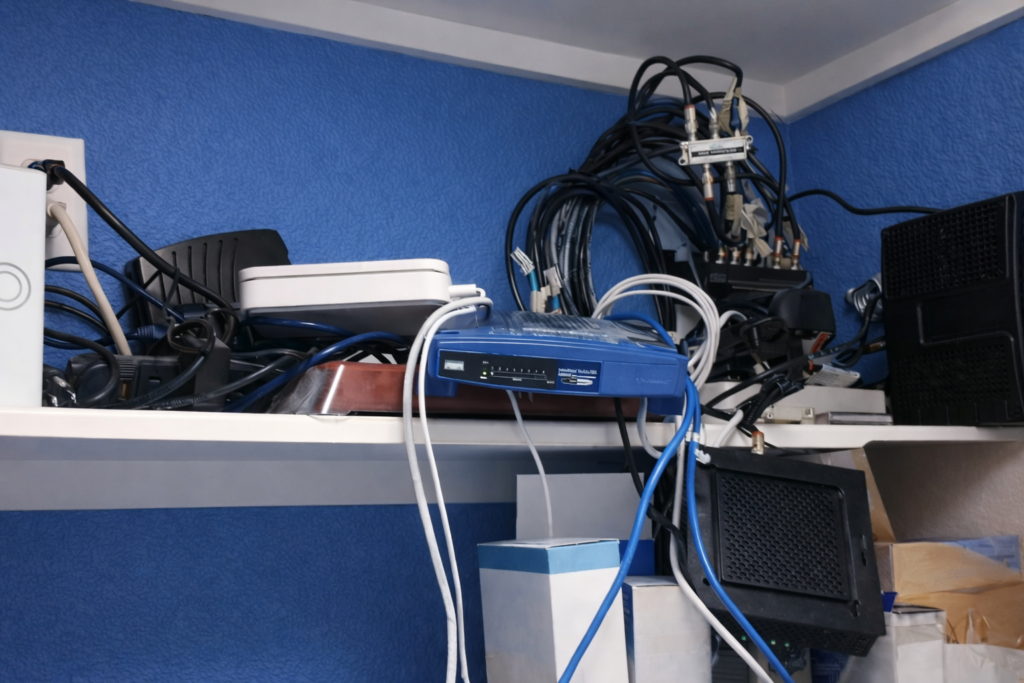
Many homeowners underestimate the total cost of DIY Data architecture attempts. The initial router purchase seems inexpensive. But hidden costs accumulate quickly.
The True Cost of DIY System Installation
Consider a typical DIY journey for a 4,000 square foot landed property. First, you purchase a mesh system for $500-800. It doesn’t cover the entire home. You buy additional units for another $400-600.
Performance remains poor. You upgrade to a “better” mesh system for $1,200. Still inadequate. Meanwhile, you’ve wasted 6-12 months with unreliable connectivity. Your smart home installers blame the Digital backbone. Your security camera company blames the network. Everyone points fingers.
Eventually, you call a professional. Who explains that none of your consumer equipment will deliver the required performance. You’ve spent $2,000-3,000 on equipment you’ll discard. Plus countless hours troubleshooting. Plus the opportunity cost of time lost to poor connectivity.
DIY Approach Costs
- Initial consumer mesh system: $500-800
- Additional mesh units: $400-600
- Upgraded “premium” mesh system: $1,200-1,500
- Network switches and cables: $200-400
- Troubleshooting time: 20-40 hours
- Equipment eventually discarded: $2,000-3,000
- Professional installation ultimately required anyway
Professional Approach Costs
- Comprehensive site survey: Included in design
- Professional IT infrastructure design: One-time investment
- Enterprise-grade equipment: Higher quality, longer lifespan
- Professional installation: Done correctly first time
- Structured cabling: Permanent infrastructure
- Ongoing support: Managed IT services for home available
- Total investment: Similar or lower than DIY, with guaranteed results

Why Professional Installation Delivers Better Value
Professional home system design services in Singapore provide value beyond equipment. The real investment is expertise. Understanding how radio frequency propagates through your specific building materials. Knowing how to handle interference from neighboring data architecture in dense Singapore housing. Implementing security best practices that protect your data.
Consider these advantages:
Professional IT Infrastructure Design
- Guaranteed coverage in every location including gardens and porches
- Seamless roaming as you move throughout the property
- Capacity for 100+ devices without performance impact
- Professional-grade security protecting your family’s data
- Invisible integration maintaining your home’s aesthetics
- Ongoing support and managed services available
- Upgradable infrastructure that grows with technology
- Single point of accountability for all system issues
DIY Consumer Systems
- Coverage gaps requiring constant equipment repositioning
- Connection drops when moving between rooms
- Performance degradation with multiple devices
- Basic security vulnerable to attacks
- Visible equipment disrupting interior design
- You are responsible for all troubleshooting
- Limited upgrade paths requiring complete replacement
- Multiple vendors blame each other for problems
The professional approach treats your digital backbone as permanent infrastructure. Like your electrical system. You don’t expect to troubleshoot circuit breakers regularly. Your network should provide the same reliability.
Ready to stop wasting money on inadequate solutions? +65 8782 7613
The Professional Data architecture Design Process for Singapore Homes

Professional home network design begins with understanding your specific requirements. Every home presents unique challenges. Wall materials affect signal propagation. Floor plans determine access point placement. Your device types and usage patterns influence bandwidth requirements.
Phase 1: Site Survey and Requirements Analysis
The design process starts with a comprehensive site survey. A IT infrastructure engineer visits your property to document physical characteristics. They measure the building dimensions. They identify wall construction materials. They note potential interference sources.
Simultaneously, they interview you about usage requirements. How many people live in the home? How many devices connect to the system? What applications matter most? Do you work from home? Do children participate in online learning? Will you host video streaming, gaming, or smart home automation?
This information feeds into the design specifications. Requirements drive equipment selection and access point placement.

Phase 2: Network Architecture Design
Engineers create a detailed network design document. This specifies access point locations, cable routing paths, equipment specifications, and IT infrastructure configuration. The design addresses your specific challenges.
For example, outdoor coverage requires weatherproof access points. Thick concrete walls may require additional access points for signal penetration. High-bandwidth applications influence equipment selection. Security camera systems demand dedicated VLAN configuration.
The design also plans for future expansion. Perhaps you’ll add a home theater. Maybe you’ll install more security cameras. Professional infrastructure accommodates growth without requiring complete reinstallation.
Phase 3: Installation and Testing
Professional installation teams execute the design with precision. Certified technicians run structured cabling through ceiling cavities and wall conduits. They mount access points in optimal locations. They install network equipment in utility areas.
Every cable receives proper termination and testing. Each access point undergoes configuration and signal verification. The entire system receives comprehensive performance testing before handover.

Phase 4: Documentation and Training
You receive complete documentation of your network infrastructure. This includes network diagrams, equipment specifications, configuration details, and maintenance guidelines. You also receive training on network management interfaces.
Professional services include ongoing support. Whether troubleshooting connectivity issues or planning expansions, managed IT services for home ensure your network continues performing optimally.
Network Design Considerations Specific to Singapore Properties

Singapore’s unique environment creates specific network challenges. Professional home network design Singapore services must address factors uncommon elsewhere.
High-Density RF Interference
Singapore ranks among the world’s most densely populated nations. Even in landed property estates, homes sit relatively close together. Each home broadcasts multiple WiFi networks. This creates significant radio frequency interference.
Professional design mitigates interference through careful channel selection, power level optimization, and enterprise-grade access point technology. Consumer routers lack the sophisticated radio management required for high-density environments.
Tropical Climate Impact
Singapore’s heat and humidity affect network equipment. Outdoor access points require weatherproof rated enclosures. Indoor equipment needs proper ventilation to prevent heat-related failures. Installation quality directly impacts equipment longevity.
Professional installers understand these requirements. They select appropriate equipment and installation methods for tropical climates.
Unique Architectural Features
Singapore landed properties often incorporate design elements that challenge Connectivity coverage. Open-concept spaces create long signal paths. Multiple stories with thick concrete floors obstruct vertical signal propagation. Floor-to-ceiling windows introduce reflection and signal scattering.
Professional design accounts for these architectural realities. Access point placement considers building materials and layout. Structured cabling provides physical connectivity where wireless struggles.
Smart Home Integration Requirements
Singapore homeowners increasingly adopt smart home technology. Climate control systems, security cameras, access control, lighting automation, and entertainment systems all require reliable network connectivity.
These systems generate substantial Connectivity traffic. CCTV cameras continuously stream high-definition video. Smart home controllers send constant status updates. Without proper network infrastructure, these systems become unreliable.
Professional network design provides the bandwidth, reliability, and quality of service these systems demand. VLAN segmentation protects security devices from internet-exposed IoT equipment. Quality of Service rules ensure critical systems receive priority bandwidth.
Key Technologies in Modern Home Network Systems

Professional home network design incorporates technologies unavailable in consumer products. These technologies deliver the performance and reliability expected in modern homes.
WiFi 6 and WiFi 6E Technology
The latest WiFi standards provide substantial improvements over previous generations. WiFi 6 (802.11ax) delivers higher speeds, increased capacity, and better performance in congested environments. WiFi 6E extends these benefits into the 6 GHz frequency band.
These standards are particularly valuable in Singapore’s high-density environment. The additional spectrum in WiFi 6E reduces interference from neighboring networks. Enterprise-grade WiFi 6 access points handle far more simultaneous connections than consumer equipment.
Structured Cabling Infrastructure
Cat6 or Cat6A cabling forms the physical backbone of professional networks. These cables support multi-gigabit speeds and provide reliable connectivity for fixed devices. They also backhaul wireless access points, ensuring these devices have adequate bandwidth.
Structured cabling follows industry standards for installation quality. Cables run through proper pathways. Terminations meet performance specifications. Testing verifies each cable segment. This infrastructure lasts decades without requiring replacement.

Network Segmentation and Security
Professional networks implement VLAN segmentation to separate different device types. Security cameras connect to an isolated network segment. IoT devices access a restricted network. Personal computers and phones use a separate trusted network.
This segmentation protects your data if smart home devices become compromised. It also improves performance by controlling broadcast traffic. Enterprise routers provide firewall capabilities beyond consumer equipment.
Centralized Management and Monitoring
Professional network systems include centralized management software. This provides visibility into network performance, connected devices, and bandwidth usage. You can monitor your network from your smartphone. Alerts notify you of potential issues.
For homeowners who prefer hands-off management, managed IT services for home provide professional monitoring. Technicians proactively identify and resolve issues before they impact your connectivity.
Common Network Scenarios in Singapore Landed Properties

Real-world examples illustrate why professional home network design Singapore services deliver superior results. These scenarios reflect common challenges in landed properties.
Scenario 1: The Multi-Story Semi-Detached Home
A three-story semi-detached property presents vertical coverage challenges. The ground floor includes living areas and outdoor patio. The second floor contains bedrooms and a home office. The third floor features a master suite and study.
A single router on the ground floor cannot provide adequate coverage. Consumer mesh units placed on each floor create multiple network names. Connection drops occur when moving between floors.
Professional design installs access points on each level with structured cabling providing backhaul. Seamless roaming allows movement throughout the home without disconnection. A home office receives wired connection for maximum reliability during video conferences.
Scenario 2: The Bungalow with Extensive Grounds
A single-story bungalow spans 5,000 square feet with significant garden and outdoor entertainment areas. The property includes a swimming pool, outdoor kitchen, and garden pavilion.
Indoor WiFi cannot reach outdoor areas. Security cameras around the perimeter require reliable connectivity. Outdoor entertainment demands streaming capability.
Professional design includes outdoor-rated access points providing comprehensive property coverage. Weatherproof equipment handles Singapore’s tropical climate. CCTV cameras connect through a dedicated Digital backbone segment ensuring security system reliability.

Scenario 3: The Smart Home Integration
A renovated property incorporates extensive smart home automation. This includes climate control, lighting systems, motorized window treatments, security cameras, access control, and entertainment systems. These systems connect 80+ devices to the network.
Consumer mesh networks struggle with device density. Smart home systems experience random disconnections. The homeowner constantly troubleshoots connectivity issues.
Professional network infrastructure provides the capacity and reliability these systems require. VLAN segmentation improves security and performance. Quality of Service ensures critical systems receive adequate bandwidth. The smart home finally works as promised.
Understanding the Investment: System Infrastructure as Home Value

Professional network infrastructure represents a valuable home improvement investment. Like upgraded electrical panels or premium HVAC systems, quality network infrastructure increases property appeal and functionality.
Quantifiable Benefits
Consider the measurable advantages professional system design delivers:
- Eliminated productivity loss from connectivity issues during work-from-home
- Reliable smart home automation increasing energy efficiency and security
- Enhanced property appeal to technology-savvy buyers during resale
- Reduced ongoing troubleshooting time worth thousands in opportunity cost
- Professional support included in managed services eliminating DIY burden
- Infrastructure lifespan of 10-15 years with proper installation quality
Comparison to Other Home Investments
Homeowners readily invest in kitchen renovations, bathroom upgrades, or landscaping improvements. These enhance livability and property value. Professional IT infrastructure delivers equivalent benefits for modern living.
The difference is visibility. You see your renovated kitchen daily. You don’t see your IT infrastructure. Yet you experience its impact constantly. Every video call. Every streaming session. Every smart home interaction. Every security camera notification.
When infrastructure works properly, it becomes invisible. That’s exactly what professional design achieves. Seamless, reliable connectivity that “just works” without thought or maintenance.
Selecting Professional Home Connectivity Design Services in Singapore

Not all network service providers deliver equivalent quality. Selecting the right partner ensures your infrastructure investment provides long-term value.
Key Qualifications to Evaluate
Professional network design requires specific expertise. Look for providers with these qualifications:
- Certifications in enterprise networking (Cisco, Ubiquiti, Aruba)
- Experience with residential deployments, not just commercial
- Understanding of Singapore-specific challenges
- Structured cabling knowledge and installation skills
- Site survey and requirements analysis process
- Custom network design rather than template installations
- Integration expertise with smart home systems
- Security best practices and implementation
- Proper cable management and termination standards
- Professional equipment mounting and integration
- Comprehensive testing and documentation
- Clean installations respecting home aesthetics
Questions to Ask Potential Providers
Interview potential system design services with these questions:
- What enterprise-grade equipment brands do you recommend and why?
- Can you provide references from landed property installations?
- How do you handle structured cabling in existing homes?
- What warranty and ongoing support do you provide?
- Do you offer managed services for ongoing data management?
- How do you address Singapore-specific challenges like density and climate?
- What is your process for site survey and design?
- Can you integrate with my existing smart home systems?
Professional providers answer these questions confidently with specific examples. They understand your requirements and propose appropriate solutions.
Transform Your Beautiful Home into a Truly Connected Space

Your home deserves better than consumer-grade network equipment. Professional home network design Singapore services deliver the reliable, high-performance infrastructure modern homes require.
Stop fighting with WiFi dead zones. Stop rebooting routers. Stop compromising your smart home vision because of Connectivity limitations.
Professional infrastructure transforms connectivity from a constant frustration into an invisible utility. Like electricity or water. Always available. Always reliable. Never demanding attention.
This is the standard landed property owners should expect. Enterprise-grade WiFi for large houses Singapore wide. Managed IT services for home when you need professional support. Network infrastructure designed and installed by experts who understand your unique requirements.
Your beautiful home deserves a digital infrastructure worthy of it. Not as an afterthought. But as essential architecture. The invisible backbone that makes everything else work.
Ready to Transform Your Home into a Truly Connected, Seamless Living Space?
Contact I-Weblogic for a professional site survey and Digital Design assessment. Our experts will evaluate your property, understand your requirements, and design a custom network infrastructure solution that delivers seamless connectivity throughout your entire home.
Experience the difference professional home system design services make. Enterprise-grade WiFi infrastructure. Invisible integration with your home’s aesthetics. Reliable performance you can count on.
WhatsApp us at +65 8782 7613Email info@i-weblogic.comCall +65 8782 7613

