

A bad wireless network rarely fails all at once. It shows up as dropped video calls in one meeting room, slow cloud apps in another corner of the office, and staff quietly switching to mobile hotspots because they no longer trust the connection. That is usually the point when an office wifi network setup stops being an IT task and becomes an operational issue.
If you are planning an office infrastructure project, visit our services page to see how we help businesses design, install, and manage reliable office networks.
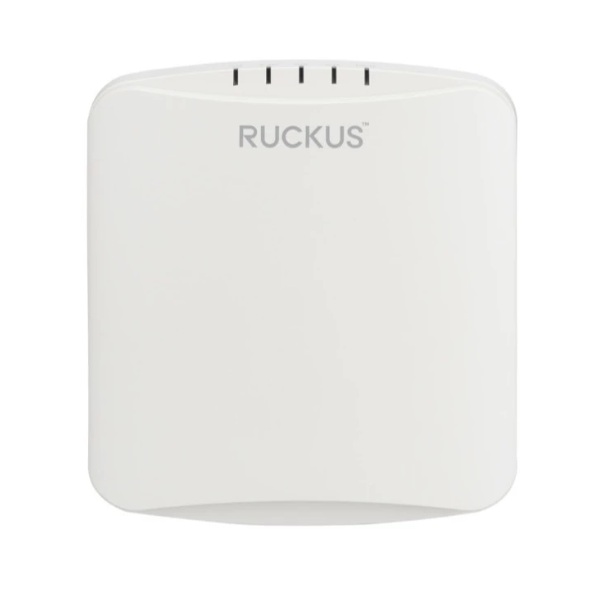
For most businesses, wireless performance affects more than convenience. It shapes how teams collaborate, how reliably cloud platforms run, how visitors connect, and how easily new devices, staff, and spaces can be added without disruption. The right setup is not about buying the most expensive access points. It is about designing a network that matches the way the business actually works.
What an office wifi network setup needs to achieve
In a business environment, WiFi has to do three jobs at the same time. It needs to provide stable coverage across the office, protect business traffic from internal and external risks, and remain scalable as headcount, floor plans, and device counts change.
That sounds straightforward, but trade-offs appear quickly. A small office with 15 users may get acceptable coverage from a simple deployment, while a larger workplace with meeting rooms, glass partitions, VoIP handsets, CCTV, and guest traffic needs more deliberate network planning. The more business-critical systems depend on wireless access, the less room there is for guesswork.
A reliable office wifi network setup should support By focusing on an office wifi network setup early in the project, you ensure the design handles peak loads without compromising speed everyday business activity without creating friction. Staff should be able to move across the office without losing connection. Video conferencing should remain steady during peak use. Guest access should be separated from internal systems. And network performance should not degrade simply because the business added a few more employees or converted a room into a shared workspace.
Start with the physical environment, not just the internet plan
One of the most common mistakes in office deployments is assuming the internet service is the main factor. Bandwidth matters, but it is only one part of the result users experience. Poor access point placement, weak cabling, building materials, and unmanaged interference often cause more day-to-day problems than the ISP connection itself.
Office layout has a direct impact on wireless performance. Concrete walls, metal racks, server rooms, elevator shafts, and dense partitioning can weaken or block signal. Open-plan offices may seem easier to cover, but high user density can create contention if too many devices rely on a single access point. Even furniture layout and ceiling height can influence performance.
Site surveys are the only way to guarantee your office wifi network setup is tailored to the specific obstructions of your building
That is why wireless design should begin with a site-aware plan. The goal is not to flood the office with signal. It is to provide usable, consistent coverage where people and devices actually operate. In many cases, fewer well-positioned enterprise-grade access points perform better than a larger number placed without planning.
Coverage and capacity are not the same thing
This distinction matters in almost every office upgrade. Coverage answers the question, “Can devices connect here?” Capacity answers, “Can they connect well when everyone is online at the same time?”
An office may appear to have full signal strength and still suffer poor performance because too many laptops, phones, printers, TVs, cameras, and conferencing tools are competing for airtime. Meeting rooms are a common trouble spot. Ten people joining video calls at once can strain a network segment that seemed fine during casual browsing.
A better office wifi network setup accounts for both square footage and device density. That includes estimating how many users will be active at the same time, what applications they rely on, and which areas carry the heaviest load. A reception area with occasional guest traffic needs different design assumptions than a boardroom, training room, or hot-desking zone.
Security should be designed in from day one
In business settings, WiFi is part of the wider security environment. It should not be treated as a standalone convenience layer. The wireless network touches user devices, cloud systems, printers, IP phones, and sometimes surveillance or access control platforms. If the network is poorly segmented or weakly protected, one issue can spread further than expected.
At minimum, businesses should separate employee and guest traffic. They should also use business-grade authentication, maintain current firmware, and apply firewall policies that reflect actual operating needs. In some environments, device segmentation is just as important as user segmentation. For example, keeping IoT devices such as cameras or smart displays apart from core business systems reduces unnecessary exposure.
A secure office wifi network setup ensures that your internal data remains protected even when multiple departments and guests are connected simultaneously
This is where integrated planning matters. A business that is already investing in structured cabling, firewall protection, physical security, or office relocation can benefit from looking at the environment as one coordinated infrastructure project instead of several disconnected upgrades. That approach tends to reduce blind spots and simplify long-term management.
The cabling behind the WiFi still matters
Wireless performance depends heavily on wired infrastructure. Every access point still needs a reliable backhaul connection, and poor cabling can limit speed, stability, and power delivery. If an office has outdated cable runs, insufficient switch capacity, or inconsistent patching, the WiFi layer will feel the impact.
This is especially relevant in offices that have grown gradually. It is common to find networks built in stages, with old switches in one cabinet, newer access points in another area, and no clear structure tying everything together. The result is usually harder troubleshooting and uneven performance.
A properly planned office wifi network setup should align with structured cabling, switch placement, power over ethernet requirements, and rack organization. This creates a stronger foundation and makes future expansion easier. It also helps businesses avoid the cost of solving the same problem twice.
Choosing the right hardware depends on the business case
There is no single best WiFi brand or model for every office. The right choice depends on coverage requirements, device count, security needs, management preferences, and budget. A smaller office may prioritize simplicity and centralized visibility, while a multi-floor or multi-site organization may need more advanced control, analytics, and policy enforcement.
What matters most is fit. Enterprise-grade solutions from established vendors generally provide stronger reliability, better roaming behavior, and more manageable security than consumer hardware. They also make it easier to support growth. If the business expects to add users, redesign floor space, or connect more operational systems over time, it makes sense to choose equipment with room to scale.
This is one reason many organizations work with an implementation partner rather than buying hardware first and solving design later. A well-matched design reduces rework and keeps spending focused on actual business need.
Planning for guest access, hybrid work, and future growth
Modern offices no longer serve only fixed desks and office PCs. Staff move between rooms with laptops, mobile devices, and collaboration tools. Visitors expect guest access. Leadership teams want reliable conferencing. In some industries, temporary staff, contractors, or training attendees may significantly increase demand on certain days.
That means wireless design should reflect business patterns, not just average headcount. Guest WiFi should be easy to use but isolated from internal systems. Conference-heavy areas may require higher capacity. Hybrid work environments often depend on stable connectivity for cloud applications and video meetings, which puts more pressure on performance consistency.
Growth planning also matters. If a business expects to expand into adjacent units, add another floor, or support more connected devices, the network should be built with that path in mind. It is usually more cost-effective to plan for reasonable expansion at the start than to retrofit the network every time the office changes.
Implementation is where good design proves itself
A solid design can still underperform if implementation is rushed. Access point placement, controller setup, VLAN configuration, security policies, switch tuning, and post-installation testing all affect the final result. Businesses often feel this after office moves or renovations, when networking is treated as a last-minute item instead of a planned infrastructure component.
Testing should include more than checking whether devices can connect. It should verify signal quality in working areas, roaming performance, guest isolation, bandwidth behavior under load, and compatibility with business applications. If the office relies on VoIP, cloud platforms, CCTV, or access control systems, those should be validated as part of the deployment, not after staff move in.
For companies managing office upgrades, relocations, or infrastructure refreshes, working with a provider that understands both networking and the surrounding physical environment can save time and reduce coordination issues. That is especially true when cabling, WiFi, firewalling, and workplace security need to operate as one system. This is the practical model firms such as I-Weblogic Pte Ltd bring to business infrastructure projects.
When it is time to redesign instead of patching the problem
Some wireless issues can be fixed with better placement or updated settings. Others point to a deeper mismatch between the current network and the business environment. If users regularly complain about unstable connections, if dead zones persist, if guest traffic creates risk, or if the office has changed significantly since the original install, patching the symptoms may cost more over time than redesigning the network properly.
A business WiFi network should support operations quietly in the background. When it becomes a recurring source of disruption, the question is not just how to improve signal. It is how to create an office environment that is secure, scalable, and dependable enough to support the way the business intends to work next year, not just this week.
The best office wifi network setup is the one employees barely notice because it does its job well, every day, under real business conditions.
Ultimately, a high-performance office wifi network setup is an investment in your team’s daily productivity and long-term operational resilience


Pingback: Office Relocation IT Setup Done Right - I-Weblogic Pte Ltd
Pingback: Office Phone System Comparison for Business - I-Weblogic Pte Ltd