
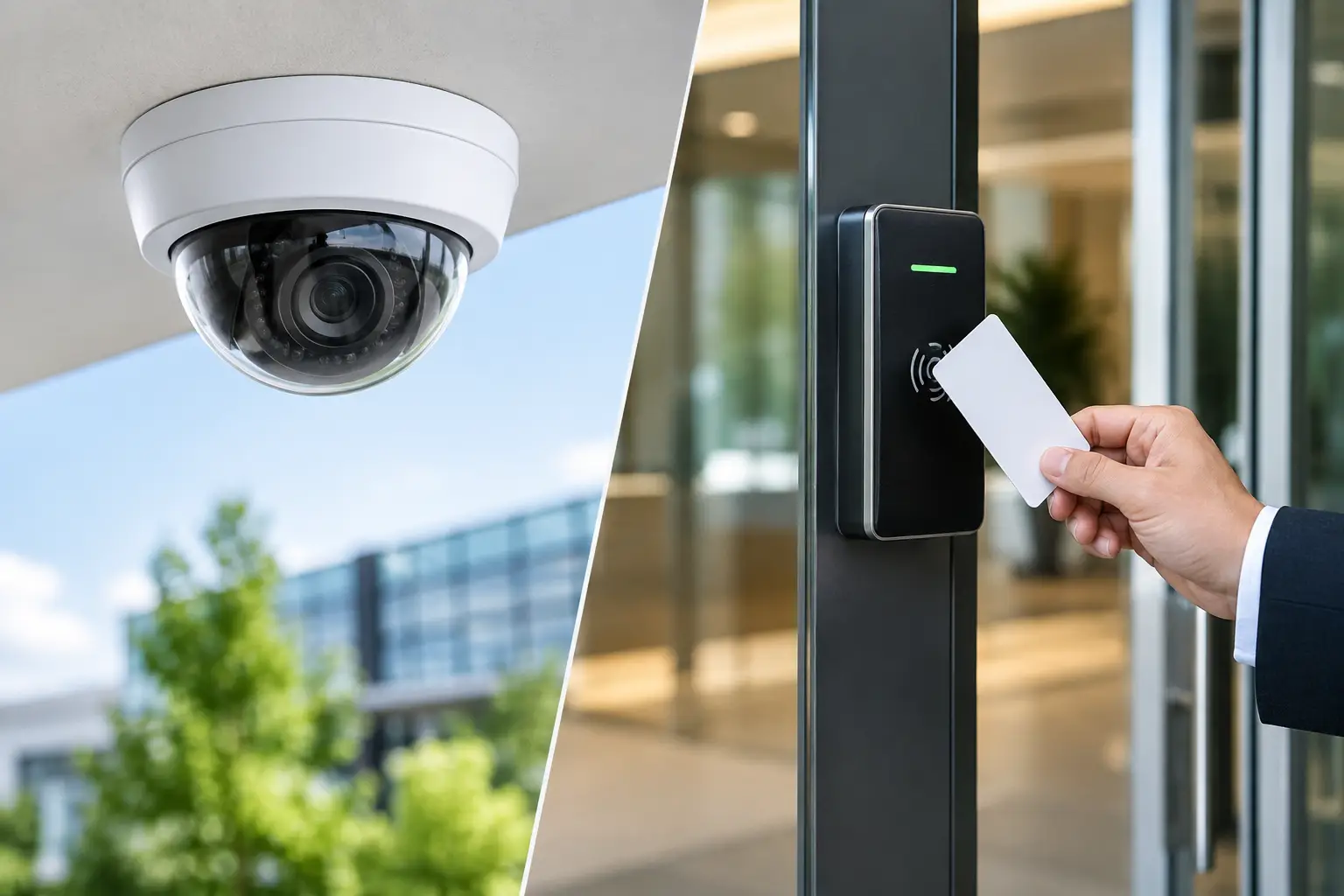
A missing laptop, an unauthorized visitor in a restricted area, or a dispute over who entered after hours can expose the difference between seeing an incident and preventing one. The CCTV vs access control decision matters because these systems serve different purposes. One gives your team visibility. The other determines who can enter, where they can go, and when.
For many businesses, the right answer is not choosing one system over the other. It is designing a practical combination around the risks, building layout, operating hours, and number of users your organization manages. A well-planned system can reduce security gaps without creating unnecessary cost or complexity for employees and visitors.
CCTV vs Access Control: The Practical Difference
CCTV is primarily a monitoring and evidence tool. Cameras record activity at entrances, corridors, loading bays, parking areas, retail floors, server rooms, and other locations where visibility is needed. Depending on the system, authorized staff can review live footage, search recorded events, receive motion alerts, and retain video for investigations or compliance requirements.
Access control is an authorization tool. It uses credentials such as access cards, mobile credentials, PINs, biometric readers, or key fobs to allow or deny entry through controlled doors, turnstiles, gates, and cabinets. It also creates an audit trail showing which credential was used, at what door, and at what time.
The distinction is straightforward but commercially significant. CCTV can show that someone entered an office after hours. Access control can stop an unapproved person from entering in the first place. CCTV may help identify a person who propped open a side door. Access control can alert management when that door is forced or held open beyond an approved period.
What CCTV does best
CCTV is valuable where a business needs broad situational awareness. A camera at a reception area can help confirm visitor activity. Coverage at a loading bay can help resolve delivery disputes. Cameras in a warehouse can support safety reviews, while cameras around retail shelves can deter theft and provide evidence when an incident occurs.
It is also the practical choice for spaces that cannot easily be physically restricted. Open office areas, customer-facing floors, parking lots, hallways, and building perimeters usually need observation rather than credential-based entry. Modern IP camera systems can provide high-resolution video, remote viewing, defined recording schedules, and event notifications, provided the underlying network and storage are designed correctly.
CCTV does have limitations. It is generally reactive unless someone is actively monitoring it or the system is configured with appropriate alerts. A camera does not physically stop tailgating, prevent an ex-employee from using an old key, or ensure only trained personnel enter a laboratory or server room. Its value depends on camera placement, image quality, lighting, retention settings, and a clear process for reviewing footage.
What access control does best
Access control gives businesses direct control over entry permissions. Rather than issuing physical keys that can be copied, lost, or retained after an employee leaves, administrators can assign credentials by person, role, department, schedule, or site. If a card is lost or a staff member leaves, access can be removed without replacing locks across the facility.
This is especially useful for offices with confidential records, data rooms, finance areas, stockrooms, education facilities, healthcare environments, and multi-tenant sites. A business can permit general staff to enter during standard hours while restricting sensitive zones to approved personnel only. Temporary credentials can be issued to contractors or visitors, then automatically expire.
The audit trail is another major advantage. When an incident occurs, managers do not need to rely entirely on recollection or manual sign-in sheets. They can review door events to understand whether access was granted, denied, forced, or held open. That information supports faster investigations and better accountability.
Access control also has its own trade-offs. Every controlled opening requires suitable door hardware, power, cabling, emergency egress planning, and configuration. A poorly designed system can frustrate users, create bottlenecks at busy entrances, or fail to reflect how the workplace actually operates. The goal is not to lock every door. It is to protect the doors that create meaningful business risk.
When CCTV Is the Better First Investment
If your immediate concern is visibility across a large or open environment, CCTV may deliver the fastest security improvement. This is common for retail stores, warehouses, construction sites, parking facilities, and offices with frequent public or visitor traffic. Cameras can help deter opportunistic behavior while giving management a reliable record when questions arise.
CCTV may also be the first priority when you need to investigate recurring issues. Examples include damaged property, after-hours activity, disputed deliveries, unsafe work practices, or suspected inventory loss. Before changing access rules or installing controlled doors, video can help establish where and when incidents are occurring.
The best deployment starts with coverage objectives, not a camera count. An entrance camera should be positioned to identify faces, while a parking-lot camera may need a wider field of view. A loading dock needs coverage that supports operational review, not merely a distant overview. Storage capacity and recording retention should be planned around the footage quality and duration your organization actually needs.
When Access Control Should Come First
Access control should lead when unauthorized entry is the central problem. If keys are shared, former employees may still have access, sensitive rooms are left unsecured, or managers cannot verify who entered a restricted area, controlled entry will provide more direct protection than cameras alone.
It is often the higher priority for businesses moving into a new office, expanding to multiple locations, upgrading a server room, or introducing stricter visitor management. It can also reduce the administrative burden of collecting keys, changing locks, and manually tracking access permissions.
For facilities with heavy daily traffic, access control must be designed around convenience as well as security. A turnstile may suit a large corporate lobby, while a card reader at a staff-only door may be sufficient for a smaller office. Biometric readers can provide stronger identity assurance in high-security zones, but they may not be necessary at every entrance. The right credential and door hardware depend on the level of risk and the experience you want users to have.
Why Integrated Systems Usually Deliver Better Results
The strongest physical security designs connect CCTV and access control around the same operational events. When a card is presented at a door, the system can associate the access event with nearby video. If a door is forced open, security staff can quickly view the relevant camera feed. If an access attempt is denied repeatedly, video can help distinguish a simple credential issue from a suspicious event.
This integration is particularly useful when incidents need to be reviewed quickly. Instead of searching through hours of video, a manager can begin with a specific door event and verify what happened around that time. It also improves accountability when several systems, locations, and departments are involved.
Integration does not mean every security component needs to be replaced at once. A business may start with priority doors and key camera locations, then extend coverage as sites grow or budgets allow. The important point is to select systems and infrastructure that can scale without forcing a complete redesign later.
Infrastructure Decisions That Affect Security Performance
Physical security systems are only as dependable as the infrastructure supporting them. IP cameras, access control panels, door readers, wireless bridges, recording servers, switches, and power supplies need proper planning from the start. Weak cabling, insufficient network capacity, poor Wi-Fi coverage, or inadequate power backup can turn a well-specified security system into an operational problem.
For CCTV, consider whether your network can handle the required video traffic without affecting business applications. Cameras may need Power over Ethernet, dedicated network segmentation, protected recording storage, and sufficient bandwidth for remote viewing. For access control, consider cable routes to each door, controller locations, emergency release requirements, backup power, and how the system will operate during a network or power outage.
Businesses should also define who will administer credentials, review alarms, maintain retention policies, and respond to incidents. Technology provides the records and alerts, but clear ownership turns those capabilities into meaningful protection. Privacy policies should be considered as well, especially where cameras cover staff work areas or biometric credentials are used.
I-Weblogic approaches these projects as part of the wider workplace environment, coordinating cabling, networking, CCTV, biometric access control, keyless entry, and turnstile requirements into one implementation plan. That approach can be especially valuable during office moves, renovations, and multi-site upgrades where separate contractors can create avoidable gaps.
A Sensible Way to Decide
Start by identifying the events you need to prevent, detect, or investigate. If your concern is unknown people entering sensitive spaces, access control should be central. If you need visibility over broad activity, customer interactions, deliveries, or perimeter areas, CCTV should be central. If both risks are present, prioritize the highest-risk doors and locations first, then build toward integration.
A security system should fit the way your organization works on its busiest day, not just look complete on a floor plan. When cameras, controlled entry, cabling, and network capacity are planned together, your team gains more than footage or door logs. They gain a security environment that is easier to manage, easier to expand, and more dependable when an incident puts it to the test.

