
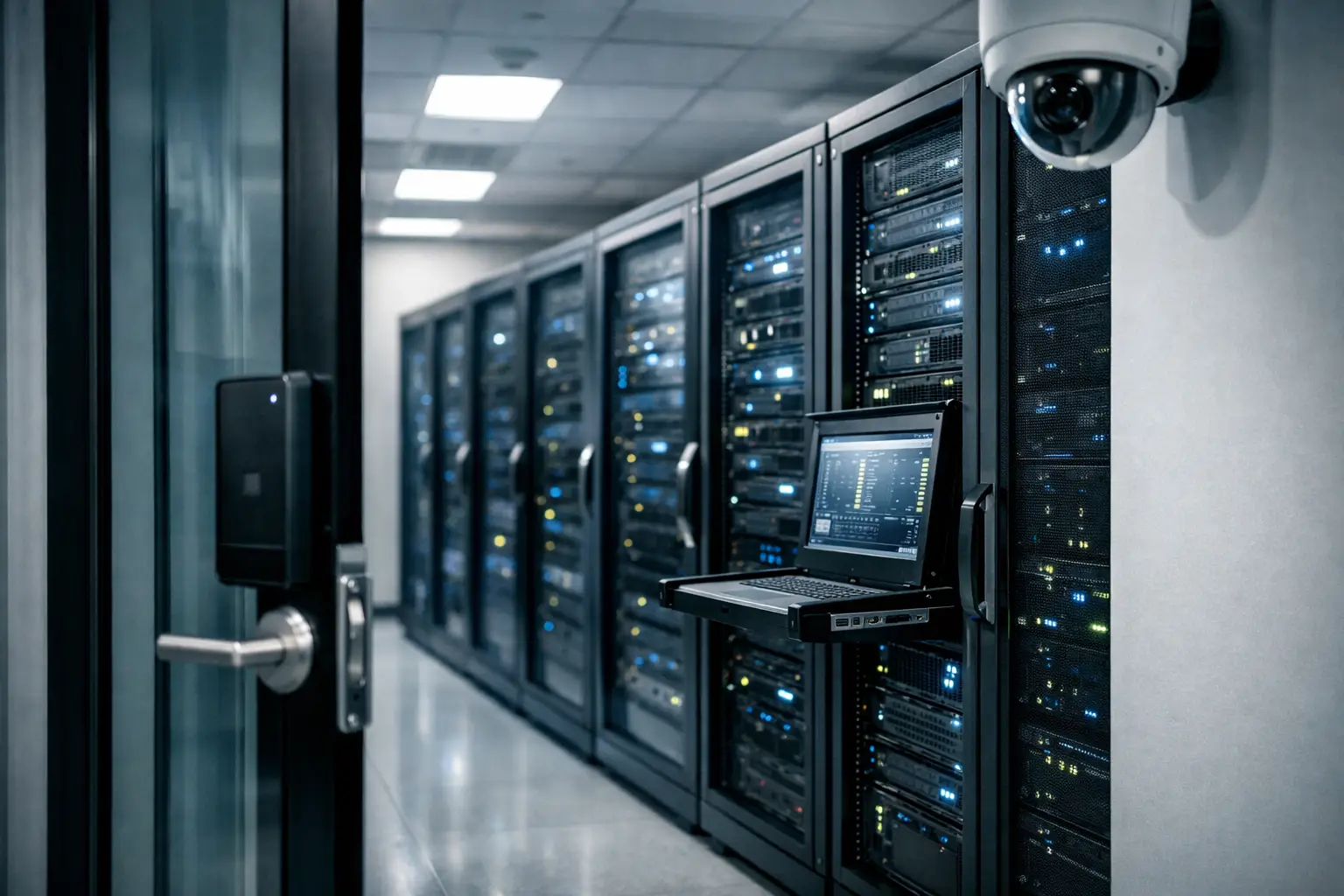
A server room can look orderly and still be a business risk. A rack with locked doors, blinking equipment, and neatly labeled cables may conceal a single point of failure: an unlocked access door, overloaded power circuit, failed cooling unit, or patch panel no one has documented. Secure server rooms address these risks as one connected operational issue, protecting the equipment, the information it carries, and the people who depend on it.
For operations and IT leaders, the objective is not to build a highly specialized data center for every office. It is to create a controlled environment that matches the value of the systems inside. That usually means a practical combination of physical access control, structured cabling, network security, environmental protection, and clear operating procedures.
What Makes a Server Room Secure?
Security starts with defining what the room supports. A small office may keep a firewall, network switches, a phone system, network video recorder, and uninterruptible power supply in one cabinet. A larger site may operate multiple racks, core network equipment, servers, storage, and fiber termination hardware. The more business functions depend on the room, the less acceptable unplanned disruption becomes.
A secure environment controls three things: who can enter, what can affect the equipment, and how quickly the business can respond when something goes wrong. These controls should work together. For example, a biometric access system provides little value if contractors can follow employees through an unsecured door. Similarly, a firewall cannot prevent downtime caused by an accidental power disconnect or a cooling failure.
The right standard depends on the site. A retail outlet with a compact communications closet needs a different design from a corporate headquarters or education campus. However, the same principle applies in each case: access should be restricted, equipment should be protected, and the infrastructure should be simple to maintain.
Physical Access Is the First Control
Server rooms should not function as general storage areas, shared maintenance closets, or informal workspaces. Every additional person with access increases the chance of accidental disconnection, unauthorized viewing, theft, or unmanaged changes to critical equipment.
A solid starting point is a dedicated room with a properly rated door, controlled keys or electronic entry, and access records. Keyless entry cards, PIN codes, or biometric readers can provide an audit trail showing who entered and when. For higher-risk environments, access rules can be assigned by role, so only authorized IT and facilities personnel can enter without supervision.
CCTV adds accountability and can help investigate incidents, particularly where third-party vendors, cleaners, or building contractors have access to adjacent areas. Camera placement should cover entry and exit points without exposing sensitive displays, passwords, or equipment labels. The goal is evidence and oversight, not unnecessary surveillance.
Physical controls also include the rack itself. Lockable cabinets reduce the risk of cables being unplugged or devices being removed. They are particularly useful in shared offices, branch locations, schools, and sites where the server room cannot be staffed continuously. Cabinet keys and override procedures should be documented, not held informally by a single employee.
Power and Cooling Protect Uptime
Heat and power instability are common causes of equipment failure, yet they are often addressed only after an outage. Network switches, servers, storage systems, and firewalls generate heat continuously. If cooling is undersized, poorly maintained, or interrupted after business hours, components can throttle performance, shut down, or suffer shortened service life.
The room should have dedicated cooling appropriate to the equipment load and local building conditions. A comfort air-conditioning system may be adequate for a lightly loaded communications room, but it may not maintain stable temperatures during peak demand or outside normal operating hours. Temperature and humidity monitoring gives teams early warning before conditions reach a damaging level.
Power design deserves the same attention. An uninterruptible power supply can keep essential systems running through short interruptions and provide time for an orderly shutdown during longer outages. It should be sized for the actual load, with allowance for reasonable growth. Connecting every device to one small UPS may create a false sense of protection if battery runtime is only a few minutes.
Where operations cannot tolerate longer power loss, a generator or building backup supply may be appropriate. This is a business decision based on the cost of downtime. A company that relies on cloud services may prioritize keeping its internet edge, firewall, switches, and IP telephony online. A business operating local applications or on-site surveillance storage may need broader backup coverage.
Cabling Must Support Security and Maintenance
Poor cabling does more than make a room look untidy. It slows troubleshooting, makes changes riskier, restricts airflow, and can lead to accidental service interruption. When a fault occurs, technicians need to identify a connection quickly without tracing unidentified cables through a crowded rack.
Structured cabling provides a more controlled foundation. Copper and fiber runs should be terminated cleanly, labeled consistently, tested, and documented. Patch cables should be the right length and routed through cable managers so they do not block equipment access or cooling paths. Separate pathways for power and data help reduce confusion and support safer maintenance.
Documentation is often overlooked because it does not feel urgent during an installation. Its value becomes clear during an office move, expansion, audit, or incident. A current rack layout, port schedule, network diagram, and cable labeling standard allow internal teams and service providers to work faster with less disruption.
Secure Server Rooms Need Network Protection Too
A locked door protects hardware, but it does not control traffic entering or leaving the network. Firewalls, network segmentation, secure wireless design, and properly managed switches are all part of the server room security model.
Core business systems should not share unrestricted access with guest Wi-Fi, visitor devices, internet-of-things equipment, or surveillance cameras. Segmenting these systems limits the spread of an issue if one device is compromised. For instance, separating CCTV, corporate users, voice systems, and guest access can improve both security and network performance.
Network equipment should be configured with named administrator accounts, strong credential practices, current firmware, and backups of critical configurations. A replacement firewall or switch is less helpful if no one can restore the settings that made the network work. Configuration backups should be protected and tested as part of normal operational planning.
This is also where physical and network teams benefit from a coordinated implementation. Access readers, cameras, wireless access points, and IP phones all rely on cabling, switching capacity, power over Ethernet, and network policies. Treating them as separate projects can create avoidable capacity gaps and conflicting responsibilities.
Monitoring Turns Small Faults Into Manageable Work
Most serious outages have warning signs. Battery health declines. Rack temperatures rise. A switch port begins reporting errors. Storage capacity approaches its limit. Without monitoring, these issues remain invisible until employees cannot access services.
Effective monitoring does not need to be complex, but it should cover the equipment and conditions that matter most. At minimum, teams should be able to identify power loss, temperature alerts, internet connection failures, core device status, and unauthorized access events. Alerts need an owner and a response process. A notification sent to an unmonitored inbox is not a control.
Regular checks also prevent small weaknesses from becoming permanent. Review who has room access, test UPS batteries, confirm camera recording, inspect cable condition, and update documentation after significant changes. The schedule can be quarterly for many businesses, while high-availability environments may require more frequent testing.
Plan Security Around Change and Growth
Server rooms rarely fail because of one dramatic event. More often, risk builds through changes: a new access point added without capacity review, a temporary cable left in place, an extra device connected to a full UPS, or a contractor granted access that is never removed.
Before an office relocation, renovation, outlet rollout, or network upgrade, assess the server room as part of the larger infrastructure plan. Confirm rack space, cooling load, available power, cable pathways, fiber requirements, firewall capacity, and future device count. Designing for measured growth is more cost-effective than rebuilding an undersized room after the business has already outgrown it.
I-Weblogic approaches these projects as connected infrastructure work, combining cabling, networking, access control, and surveillance into an implementation plan that supports daily operations. The practical value is fewer handoffs between contractors and clearer accountability for how the systems work together.
A secure server room should make the rest of the business less concerned about technology, not more. When access is controlled, equipment is orderly, conditions are monitored, and the network is planned for growth, IT teams can spend less time reacting to preventable failures and more time supporting the work that moves the organization forward.

